

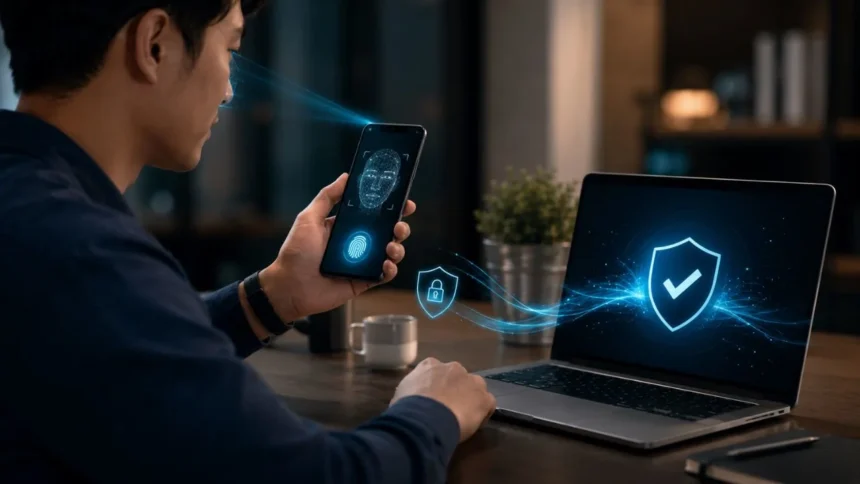
What Is a Passwordless Login and How Does It Work?
A passwordless login is a way to access an account without entering a traditional password. Instead of remembering a collection of letters, numbers, and symbols, users verify their identity through a passkey, registered device, biometric scan, security key, email link, or authentication application.
This approach is becoming more important because passwords create problems for both users and businesses. People forget them, reuse them across several accounts, choose weak combinations, or accidentally reveal them on phishing websites. Organisations must then spend time and money managing password resets, account recovery, and credential-related security incidents.
Passwordless authentication changes the sign-in experience by replacing a reusable secret with another form of identity verification. Depending on the method, a user may scan a fingerprint, look at a camera, enter a device PIN, tap a security key, approve a notification, or follow a secure link delivered to a trusted account.
Not every passwordless login offers the same level of protection. Passkeys and FIDO2 security keys provide stronger phishing resistance than many manually entered codes or email links. Understanding how each method works can help individuals and businesses choose a solution that balances security, convenience, accessibility, and reliable account recovery.
What Does Passwordless Login Mean?
Passwordless login means that a user does not type a conventional password during the authentication process. The service relies on another approved credential to confirm that the person requesting access is the legitimate account owner. That credential may be stored on a device, inside a security key, or with a trusted credential manager.
The process may still involve a PIN, fingerprint, facial scan, pattern, or device unlock. These actions do not necessarily function like a normal online password. In many passwordless systems, they unlock a protected credential stored locally instead of sending a reusable secret across the internet to the website.
For example, a passkey allows someone to sign in using the same method used to unlock a phone or computer. The device proves possession of a cryptographic credential, while the fingerprint, face scan, or PIN confirms that the authorised person is using that device. The website does not receive the biometric data.
Some services use the term passwordless for email magic links, text-message codes, or authenticator notifications. These methods remove the password from the visible sign-in process, but their security properties differ considerably. Users should evaluate how the credential is delivered, stored, verified, recovered, and protected from phishing or interception.
Why Are Passwords Becoming a Security Problem?
Passwords depend heavily on human memory, which encourages predictable behaviour. People often choose short credentials, reuse familiar phrases, or make small variations of the same password. When one website experiences a data breach, criminals can test the exposed credentials against email, banking, shopping, and social media accounts.
Phishing creates another major weakness because passwords can be typed into fraudulent websites. A fake login page may closely copy the appearance of a real service and immediately send the stolen credentials to an attacker. Even a complex password provides little protection once the account owner willingly enters it on the wrong website.
Passwords also create operational costs for organisations. Employees and customers forget credentials, become locked out, and contact support teams for resets. Administrators must maintain password policies, monitor compromised credentials, investigate suspicious logins, and protect recovery systems that attackers may target to bypass the normal sign-in process.
A passwordless authentication system can remove the reusable password from these situations. However, it does not eliminate every cyber risk. An attacker may still target devices, recovery channels, active sessions, support teams, or weak fallback methods, making careful implementation and user education essential.
How Does Passwordless Authentication Work?
Passwordless authentication begins when a user registers an approved credential with a website, application, or workplace identity system. The credential may be a passkey, physical security key, registered smartphone, authentication application, or verified email account. The service connects that method to the user’s identity during enrolment.
When the user returns, the service requests proof from the registered authentication method. A passkey may ask for a fingerprint or device PIN, while an authentication application may request approval through a trusted phone. A magic-link system sends a time-limited sign-in link to the email address connected to the account.
The system then checks whether the response matches the credential registered earlier. With passkeys and security keys, this verification uses public-key cryptography instead of comparing a password stored by the service. The private key remains protected on the user’s device, while the website holds a corresponding public key.
Access is granted only when the required verification succeeds. Some systems also examine the device, location, network, risk level, or requested action before allowing entry. A business may therefore provide a simple passwordless login for normal activity while requiring additional verification for payments, sensitive data, or administrative changes.
What Are the Most Common Passwordless Login Methods?
Passkeys are one of the most prominent passwordless login methods. They allow users to access an account by unlocking a trusted device with a fingerprint, face scan, PIN, or pattern. Passkeys are connected to the genuine website or application, making them resistant to many common phishing attacks.
Physical security keys provide another strong option. These small devices may connect through USB, NFC, or another supported technology. The user inserts or taps the key and may also enter a local PIN, proving possession of the registered hardware without sending a reusable password to the service.
Authentication applications can support passwordless phone sign-in through notifications or number matching. The user receives a request on a trusted device and confirms that the sign-in is legitimate. This is convenient, although organisations must protect against repeated fraudulent prompts and accidental approvals.
Magic links and one-time codes are also widely used for password-free access. A service may send a temporary link or code through email or text message. These options are easy to understand, but their safety depends on the security of the inbox, phone number, delivery channel, and account-recovery process.
What Is a Passkey?
A passkey is a digital credential that allows a user to sign in without entering a password. It is based on public-key cryptography and is created for a specific website or application. The user normally approves access through a fingerprint, facial scan, device PIN, or another screen-unlock method.
When a passkey is created, the device generates a related pair of cryptographic keys. The website receives the public key, while the private key remains protected on the user’s device or within an approved credential manager. The private key is not shared with the website during registration or sign-in.
During login, the website sends a unique cryptographic challenge. The device uses the private key to sign that challenge after the user confirms their identity locally. The website checks the response with the public key and grants access when the cryptographic proof is valid.
Passkeys can be stored on one device, synchronised across compatible devices, or held on a physical security key. Their exact behaviour depends on the operating system, browser, credential provider, and account settings. Secure recovery and device-protection practices remain important when passkeys are synchronised through an online account.
How Do Biometrics Work in Passwordless Login?
Biometric authentication uses physical characteristics such as a fingerprint, facial pattern, or iris scan to confirm identity. On many phones and computers, the biometric check happens locally on the device. The website normally receives confirmation that verification succeeded rather than receiving a copy of the fingerprint or face image.
This distinction is important because biometrics often unlock another protected credential. A face scan may authorise the device to use a passkey, security certificate, or cryptographic key. The biometric itself is therefore part of the local verification process rather than a reusable secret transmitted to every service.
Biometrics can make passwordless authentication faster and easier because users do not need to remember or type anything. They can also reduce password-sharing and help prevent unauthorised people from using a registered device. However, performance may vary because of injuries, lighting, hardware quality, age, or accessibility needs.
A secure system should provide an appropriate alternative, such as a device PIN or physical security key. Users should also understand that a device PIN is normally different from an online password. The PIN usually unlocks protected hardware on one particular device and cannot be used remotely on a fake website.
Are Magic Links Really Passwordless?
A magic link is a temporary URL sent to a user’s verified email address. The person opens the email, selects the link, and gains access without entering a password. The service assumes that control of the email account provides sufficient evidence of the user’s identity.
This creates a simple experience for occasional users who may not want to create another password. Magic links are often used for newsletters, online communities, customer portals, and low-risk services. They can also reduce abandoned registrations caused by complicated password rules or forgotten credentials.
However, the method is only as secure as the email account receiving the link. An attacker who controls the inbox, steals an active email session, or tricks the user into forwarding the message may gain access. Links must also expire quickly and become invalid after use.
Magic links qualify as passwordless because the destination service does not request a traditional password. They are not necessarily as phishing-resistant as passkeys or security keys. Businesses should match them to the sensitivity of the account and consider stronger verification for payments, personal records, or administrative actions.
What Is the Difference Between Passwordless Login and MFA?
Passwordless login describes authentication that does not require a traditional password. Multi-factor authentication, commonly called MFA, describes authentication that uses evidence from two or more distinct factor categories. These categories usually include something the user knows, possesses, or physically is.
A passwordless process can be single-factor or multi-factor depending on its design. An email link may rely primarily on access to one inbox, while a device-bound passkey may combine possession of the device with local biometric or PIN verification. The visible number of actions does not always reveal the technical number of factors.
MFA can also include a password. A common example is a password followed by an authenticator application code. This is multi-factor authentication, but it is not passwordless because the user must still enter a reusable password during the sign-in process.
The strongest systems often combine passwordless authentication with phishing-resistant multi-factor protection. A physical security key that requires a PIN or biometric check can provide both convenience and strong identity assurance. Organisations should evaluate the complete authentication process instead of relying only on product labels.
Passwordless Login vs Two-Factor Authentication
Two-factor authentication adds a second security factor to a sign-in process that often begins with a password. A user may enter a password and then provide an authenticator code, approve a notification, or activate a physical security key. The password remains part of the login.
Passwordless login removes the traditional password entirely. The person may use a passkey, registered device, biometric-protected credential, or magic link instead. Some passwordless methods can satisfy multiple authentication requirements in one smooth action, even when the user sees only a fingerprint or device prompt.
Both approaches can improve security compared with password-only access. Traditional 2FA helps when an attacker steals a password but lacks the second factor. Strong passwordless authentication goes further by removing the reusable credential that criminals commonly steal through phishing, credential stuffing, and password-database attacks.
The better option depends on the available technology and implementation. A well-configured passkey may provide stronger protection than a password with an SMS code. However, weak passwordless recovery or an insecure email-link system may offer less protection than carefully implemented phishing-resistant two-factor authentication.
Is Passwordless Login More Secure Than a Password?
Passwordless login can be more secure when it uses cryptographic credentials that cannot be guessed, reused, or typed into a fraudulent website. Passkeys and FIDO security keys are designed to verify the legitimate website before completing authentication. This reduces the effectiveness of traditional credential-phishing attacks.
Public-key systems also protect the service from storing a reusable secret that can directly unlock the account. If a database containing public keys is exposed, an attacker cannot use those public keys as though they were passwords. The protected private keys remain on the user’s devices or authenticators.
Security still depends on the complete account lifecycle. A strong passkey offers limited value if an attacker can call support and easily replace it, use a weak recovery password, or access an unprotected synchronisation account. Registration, recovery, device removal, and fallback options all require careful controls.
No authentication method can protect an already compromised device from every threat. Malware may steal active sessions, manipulate browser activity, or perform actions after a legitimate login. Passwordless security should therefore be combined with device updates, restricted permissions, monitoring, safe recovery procedures, and user awareness.
What Are the Benefits of Passwordless Authentication?
The first major benefit is stronger protection against password theft. Users cannot reuse, reveal, or forget a password that does not exist. Passkeys and security keys can also reduce exposure to phishing because their cryptographic credentials are connected to the legitimate website or application.
Passwordless login can also improve the user experience. Signing in with a fingerprint, face scan, device PIN, or security-key tap may be faster than remembering and typing a complex password. A smoother process can reduce failed logins, abandoned purchases, account lockouts, and repeated password-reset requests.
Businesses may lower support and administration costs by reducing password-related problems. Help desks frequently handle forgotten passwords, expired credentials, reset failures, and locked accounts. Removing passwords can allow technical teams to spend more time improving services and less time restoring routine account access.
Passwordless technology can also support wider security strategies such as Zero Trust and conditional access. Organisations can combine strong credentials with device compliance, location checks, risk analysis, and limited permissions. This creates a more flexible security model than treating every successful password entry as equally trustworthy.
What Are the Disadvantages of Passwordless Login?
Device dependence is a common concern because many passwordless methods rely on a registered phone, computer, or hardware key. Losing or damaging that device can interrupt access when backup credentials are not available. Users need secure recovery methods that do not create an easy route for attackers.
Compatibility can also cause difficulties. Older websites, applications, browsers, and workplace systems may not support passkeys or modern FIDO authentication. Organisations may need to operate password and passwordless systems together during migration, increasing complexity until older technologies can be updated or replaced.
User confusion is another challenge. Some people may not understand where a passkey is stored, why a device PIN is being requested, or how to sign in on a different computer. Clear instructions and consistent interface design are necessary to build trust and prevent users from choosing weaker fallback methods.
Implementation requires careful planning for enrolment, recovery, shared devices, accessibility, employee departures, and account transfers. A poorly designed passwordless system can create frustrating lockouts or insecure workarounds. Businesses must test the complete user journey rather than focusing only on the first successful login.
Can Passwordless Login Be Hacked?
No security method is completely immune to attack. Passwordless authentication removes several common risks, but criminals may target the device, credential manager, recovery process, or active session instead. The method changes the attacker’s opportunities rather than making compromise technically impossible.
A stolen unlocked phone may allow access to accounts if the device lacks effective screen protection. Malware could also interfere with activity after authentication or steal session cookies from a browser. Users should protect devices with updates, encryption, screen locks, and trusted security software.
Attackers may attempt social engineering against customer-support teams. They can claim that a device was lost and request a new authentication method. Organisations need strong identity checks before resetting passkeys, replacing security keys, changing recovery details, or registering a new trusted device.
Fallback authentication may become the easiest target. An account protected by a strong security key remains vulnerable when it also permits a weak password or easily redirected SMS recovery. Users and administrators should review every available sign-in and recovery option, not only the method they use most often.
How Does a Passwordless Login Stop Phishing?
Traditional phishing works by persuading users to enter passwords on a fraudulent website. The attacker collects the credentials and uses them on the genuine service. Because passwords are reusable and can be typed anywhere, they do not automatically know whether the receiving website is legitimate.
Passkeys and FIDO security keys work differently because the credential is connected to the website where it was created. A lookalike domain does not have the correct relationship with the credential. The authenticator should therefore refuse to provide the cryptographic response needed for the genuine account.
The user does not manually copy a private key or one-time code into the page. Instead, the device communicates with the service through a protected authentication process. This removes the secret that a traditional fake login form is designed to collect and reuse.
Passwordless does not automatically mean phishing-resistant. A criminal can still imitate a magic-link request, steal an email session, or trick someone into approving an authentication notification. The strongest anti-phishing benefits come from properly implemented passkeys, FIDO2 security keys, and other origin-bound cryptographic credentials.
How Do You Set Up Passwordless Authentication?
Begin by opening the security or sign-in settings of the account you want to protect. Look for options labelled passkey, security key, passwordless sign-in, biometric login, device sign-in, or authentication application. The available methods will depend on the service, device, browser, and operating system.
Choose the strongest practical method supported by the account. A passkey stored in a trusted credential manager is convenient for many personal accounts, while a physical security key can be valuable for highly sensitive or administrative access. Authenticator-based sign-in may provide an alternative when passkeys are unavailable.
Follow the registration process and complete the required identity checks. The service may first ask for the existing password, an authentication code, or confirmation through another trusted device. Once registration is complete, test the new method before removing or changing older credentials.
Review backup and recovery options immediately after setup. Register an additional trusted device or security key where appropriate, and store recovery codes in a protected location. Remove outdated phone numbers, unknown devices, unused passkeys, and weak fallback methods that could undermine the new protection.
How Should Businesses Move to Passwordless Security?
A business should begin by identifying accounts with the greatest risk, including administrator, email, finance, cloud, remote-access, and executive accounts. These users often have sensitive permissions or face targeted phishing. A limited pilot can reveal compatibility, training, recovery, and workflow issues before a wider deployment.
The organisation should choose authentication methods based on employee roles and working conditions. Office workers may use device-bound passkeys or platform biometrics, while frontline employees on shared devices may need physical security keys. Remote staff require clear procedures for enrolment, replacement, and technical support.
Recovery processes should receive the same attention as normal sign-in. Help-desk employees must verify identity before registering a replacement device or removing a security key. Approvals, audit logs, waiting periods, and manager confirmation can reduce the risk of social-engineering attacks against support teams.
Businesses should monitor adoption, failed sign-ins, recovery requests, and fallback-method use. Passwordless deployment is not complete simply because a new option appears on the login page. Success requires users to adopt the stronger method while old, phishable credentials are restricted or safely removed.
Passwordless Login Best Practices
Protect the device that stores or accesses passwordless credentials. Use a strong screen lock, install security updates, enable device encryption, and remove unfamiliar applications. A passkey can resist phishing, but it cannot compensate for every weakness on a completely compromised or unprotected device.
Create secure backup access before an emergency occurs. Depending on the service, this may involve registering a second device, storing a spare security key, or saving recovery codes offline. Backup methods should be accessible to the owner without being easy for a remote attacker to obtain.
Review account security settings regularly. Remove devices you no longer use, delete passkeys from lost equipment, update recovery contact details, and check active sessions. Immediately report a missing workplace device so administrators can disable credentials and protect company information.
Prefer phishing-resistant methods for important accounts such as email, banking, cloud storage, password managers, and workplace administration. Magic links and SMS codes may remain useful for lower-risk situations, but passkeys and security keys provide stronger protection against fake login pages and credential interception.
Is Passwordless Authentication the Future of Login?
Passwordless authentication is becoming an important part of modern digital identity. Major device platforms, browsers, credential managers, and online services now support passkeys and FIDO-based authentication. This wider compatibility makes it more practical for users to access accounts without creating another password.
Passwords are unlikely to disappear from every system immediately. Older applications, unsupported devices, business processes, and user-recovery needs will keep traditional credentials in use during the transition. Many services may provide passwords and passkeys together before eventually making the password optional or removing it.
The transition will depend on more than technical availability. Users need clear explanations, predictable sign-in screens, reliable cross-device experiences, and recovery methods they understand. Businesses must also support accessibility, shared equipment, regulated environments, and employees who cannot use a particular biometric method.
The long-term goal is not simply to remove a text field from the login page. Effective passwordless security should make authentication easier for legitimate users and more difficult for attackers. Passkeys, security keys, and protected device credentials offer a practical route towards that balance.
Final Thoughts
A passwordless login allows someone to access an account without entering a traditional reusable password. The user proves identity through a passkey, physical security key, trusted device, biometric-protected credential, authentication application, magic link, or another approved method.
The security of passwordless authentication depends on the chosen technology. Passkeys and FIDO2 security keys provide strong phishing resistance through public-key cryptography. Email links and one-time codes can be convenient, but they rely more heavily on the security of their delivery channels.
Passwordless login can reduce credential theft, password reuse, failed sign-ins, and account-reset requests. It may also provide a faster and more comfortable user experience. These benefits are most valuable when organisations plan enrolment, accessibility, device changes, and recovery with equal care.
Users should start by protecting their most important accounts with the strongest supported method. Businesses should test passwordless authentication with high-risk users and suitable applications before expanding it. A well-designed transition can improve both security and convenience without creating unnecessary lockouts or weak shortcuts.
Frequently Asked Questions
What is a passwordless login in simple terms?
A passwordless login lets you access an account without typing a traditional password. You may use a passkey, fingerprint, face scan, security key, trusted device, or temporary email link instead.
Is a passwordless login safer than a password?
It can be safer, particularly when it uses passkeys or FIDO security keys. These methods avoid reusable passwords and are designed to resist many phishing and credential-stuffing attacks.
Is a fingerprint considered passwordless authentication?
A fingerprint can be part of passwordless authentication when it unlocks a protected credential on your device. The fingerprint is normally checked locally rather than transmitted directly to the website.
What happens if I lose my passwordless device?
You may use another registered device, backup security key, recovery code, or the service’s account-recovery process. Setting up secure backup access before losing the device can prevent a difficult lockout.
Are passkeys and passwordless login the same?
A passkey is one type of passwordless login, but it is not the only type. Other methods include physical security keys, authenticator-based sign-ins, magic links, biometrics, and one-time codes.
