

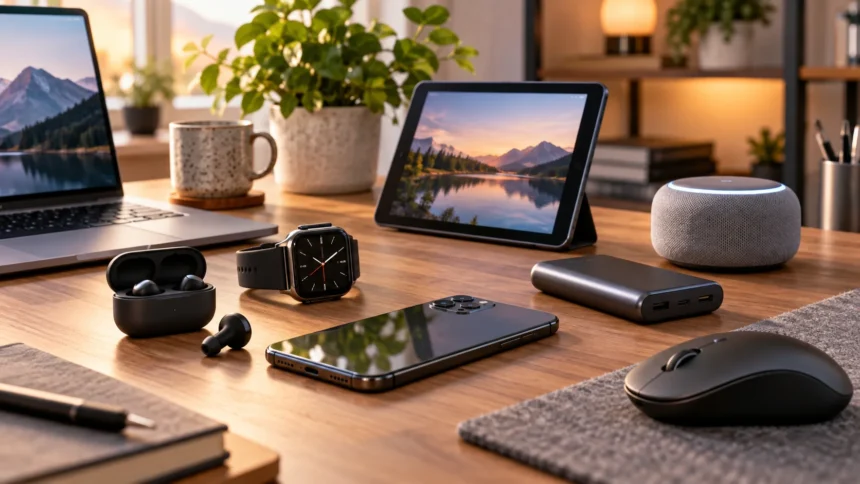
Buying useful technology does not always require spending premium prices. Many affordable gadgets now offer features that were previously limited to expensive products, including active noise cancellation, fast USB-C charging, smart-home controls, portable solid-state storage, and 4K streaming. The key is finding devices that improve everyday tasks instead of purchasing inexpensive technology simply because it looks interesting.
The best budget tech gadgets provide noticeable value through convenience, portability, entertainment, productivity, or connectivity. A compact power bank can prevent a dead phone during travel, while affordable wireless earbuds can make commuting more enjoyable. Likewise, a small streaming stick or smart plug can upgrade existing equipment without requiring you to replace a television or completely rebuild your home setup.
Budget technology should still feel dependable enough for regular use. Good products balance useful features, sensible construction, broad compatibility, and performance without charging heavily for extras most people rarely need. The following gadgets represent practical categories worth considering when you want to improve your everyday technology setup while keeping spending under control.
What Makes a Budget Tech Gadget Worth Buying?
A worthwhile budget gadget should solve a real problem or make something you already do easier. Before purchasing, consider how frequently you will use the device and whether it replaces another accessory you already own. A slightly more expensive product used every day often delivers better value than several cheap gadgets that eventually remain forgotten inside a drawer.
Compatibility is just as important as the purchase price. Check whether a charger supports your phone’s charging standard, whether earbuds work well with your preferred devices, and whether a smart-home product supports your existing ecosystem. Buying an inexpensive gadget that requires additional adapters, subscriptions, or replacement accessories can quickly reduce the savings you expected.
Durability and software support should also influence your decision. Established brands often provide firmware updates, replacement options, mobile applications, and clearer warranty information. You do not always need the newest flagship model, but choosing technology with straightforward support and realistic specifications can help you avoid buying the same type of gadget again only a few months later.
Soundcore P40i for Affordable Wireless Earbuds
The Soundcore P40i is a practical option for people who want true wireless earbuds with active noise cancellation without moving into premium headphone pricing. The earbuds use adaptive noise cancellation designed to respond to surrounding environmental sound. They also provide customizable audio through Soundcore’s companion software, making it possible to adjust the listening experience according to personal preferences.
Battery performance is another useful feature for commuters, students, and travelers. Soundcore rates the P40i for up to 12 hours from the earbuds and up to 60 hours with the charging case under its stated conditions. Fast charging can also provide additional listening time after a short period in the case, reducing the inconvenience of discovering low battery immediately before leaving home.
The charging case includes a clever design that can also function as a simple phone stand. That can be convenient when watching videos at a desk, airport, or café without carrying another accessory. The P40i also includes IPX5 water resistance and multiple microphones for calls, making it a versatile affordable gadget for everyday music, communication, and mobile entertainment.
Anker Nano 10K Power Bank for Everyday Charging
A portable power bank is one of the most useful affordable gadgets because battery anxiety can affect almost any smartphone user. The Anker Nano Power Bank combines a 10,000mAh battery with USB-C charging up to 45W. That level of output is useful for modern phones, tablets, and selected smaller USB-C devices without requiring a large laptop-focused battery pack.
One particularly convenient feature is the built-in retractable USB-C cable. You do not need to remember a separate charging lead every time you leave home, and the integrated cable keeps a travel bag or pocket less cluttered. An additional USB-C connection and USB-A port provide flexibility when charging accessories or sharing the battery with another device.
The power bank also includes a display showing useful battery information and supports up to 30W input for recharging itself. Its 10,000mAh capacity provides a sensible balance between portability and stored energy for everyday travel. People who frequently charge high-power laptops should choose a larger model, but for phone-centered use, a compact battery is often more practical.
Logitech Pebble 2 M350s for a Portable Desk Setup
The Logitech Pebble 2 M350s is a slim wireless mouse designed for users who want something portable enough for laptop bags without relying on a trackpad all day. Its compact shape works well for office tasks, web browsing, study sessions, and travel. Bluetooth connectivity also means you can avoid occupying a USB port when using modern laptops with limited connections.
Logitech supports pairing with as many as three devices, allowing users to move between computers or other compatible systems more conveniently. The middle button can be customized through Logi Options+ on supported computers. Quiet clicking is another practical benefit in libraries, shared offices, classrooms, and late-night workspaces where a loud traditional mouse can become surprisingly distracting.
Battery life is rated at up to 24 months from a single AA battery, although actual performance depends on usage. The mouse is also lightweight at approximately 76 grams including the battery. It is not intended to replace a high-end gaming mouse, but for productivity and portable computing, it provides the type of simple functionality that makes budget technology genuinely useful.
JBL Go 4 for Portable Bluetooth Audio
The JBL Go 4 is a compact Bluetooth speaker designed for people who want portable audio without carrying a large speaker. It weighs about 190 grams and includes an integrated loop that makes it easy to move between rooms or attach to travel gear. Despite its small dimensions, it can provide enough sound for casual listening at desks, picnics, bedrooms, or smaller outdoor gatherings.
Durability makes the Go 4 particularly practical as an inexpensive everyday gadget. JBL gives the speaker an IP67 rating for water and dust resistance, so it is better prepared for outdoor use than ordinary indoor speakers. Bluetooth 5.3 is included, while Auracast support allows compatible JBL speakers to connect for expanded audio when needed.
Battery life reaches up to seven hours under JBL’s stated conditions, which is sufficient for many short outings or casual listening sessions. The JBL Portable app also provides sound customization options. People expecting deep room-shaking bass will need a larger speaker, but the Go 4 makes sense when size, durability, and convenience matter more than maximum volume.
Roku Streaming Stick Plus for an Affordable TV Upgrade
Replacing an older television simply because its smart software feels slow can be unnecessary. The Roku Streaming Stick Plus offers a cheaper way to add modern streaming capabilities to a compatible television with an HDMI port. The current model supports resolutions up to 4K at 60 frames per second along with HDR10, HDR10+, and HLG on compatible displays.
The stick connects through dual-band Wi-Fi and includes a voice remote with television power, volume, and mute controls. Its compact design connects directly to HDMI and can be powered through USB-C, helping reduce clutter around the television. Roku also lists compatibility with services such as Apple AirPlay, HomeKit, Google Home, Alexa, and Roku Smart Home.
A streaming stick is particularly worthwhile when your TV panel still looks good but its built-in apps feel outdated. If you want to compare additional options before upgrading, this guide to streaming devices can help you explore alternatives. Spending on a small media player can often make more sense than replacing functioning hardware purely for newer software.
Kasa Smart Plug for Affordable Home Automation
Smart plugs are among the easiest ways to experiment with home automation because they can add app-based controls to ordinary electrical devices. The Kasa EP25 supports remote control, scheduling, timers, grouping, and energy monitoring. Depending on your existing setup, it can work with voice platforms including Siri, Alexa, Google Home, and Samsung Bixby.
You might use a smart plug to schedule lamps, automate selected appliances, or ensure devices switch off at predictable times. Energy-monitoring capabilities can also help you understand how much electricity a connected device consumes over time. The slim physical design allows compatible plugs to fit more conveniently around standard outlets without unnecessarily blocking neighboring connections.
Smart plugs should always be used within their rated electrical limits and according to the manufacturer’s safety guidance. They are useful for appropriate lamps and everyday electronics, but not every high-powered appliance belongs on a smart plug. Start with simple automations that provide real convenience rather than connecting every electrical device simply because remote control is technically possible.
Kingston XS1000 for Affordable Portable Storage
External SSDs are useful for students, photographers, professionals, gamers, and anyone who regularly transfers large files between devices. The Kingston XS1000 provides USB 3.2 Gen 2 performance with rated read speeds up to 1,050MB/s and writes up to 1,000MB/s. It is available in 1TB and 2TB capacities, providing significantly more room than ordinary USB flash drives.
Portability is a major strength because the drive weighs less than 29 grams and fits easily into a small technology pouch. Kingston includes connectivity for USB Type-A and Type-C devices through its supplied cable and adapter arrangement. Compatibility extends across common computer and mobile operating systems, making it useful when files frequently move between different types of devices.
A portable SSD can serve as fast temporary storage, a project drive, or part of a broader backup strategy. Important files should still exist in more than one location because any individual drive can fail, become damaged, or disappear. For everyday users, however, affordable portable SSDs provide a substantial improvement over slower hard drives when speed and physical size matter.
Budget Accessories Can Improve Laptop Productivity
Some of the best budget tech purchases are accessories that remove small frustrations rather than introducing completely new features. A portable mouse, laptop stand, USB-C adapter, compact charger, or cable organizer may not look exciting, but these products can make everyday work considerably more comfortable. Small improvements become valuable when you benefit from them repeatedly throughout the week.
Before buying accessories, identify what regularly interrupts your workflow. If your laptop constantly runs short of ports, a suitable hub may be useful; if your charger occupies too much bag space, a compact USB-C adapter may solve the problem. People working from cafés, classrooms, coworking spaces, or multiple offices should prioritize equipment that remains light and easy to pack.
Avoid purchasing large accessory bundles simply because the individual price looks low. Many kits contain cables, adapters, or tools that never leave their packaging. A smaller collection of dependable accessories that directly supports your laptop, phone, or tablet usually provides better long-term value and creates less clutter around your desk or travel bag.
How to Choose Budget Gadgets That Last
Start by reading the specifications instead of relying entirely on promotional phrases such as “ultra-fast,” “professional,” or “premium.” Numbers such as charging wattage, battery capacity, storage speed, Bluetooth version, water-resistance rating, and device compatibility provide more useful information. Compare those specifications with your actual requirements so you do not pay for performance your devices cannot use.
Consider replacement cost as well as purchase cost. Extremely cheap wireless accessories can become expensive if their batteries fail quickly, their software stops working, or their cables cannot be replaced. Products from established manufacturers are not automatically superior, but documentation, firmware updates, warranty support, and widely available accessories can make ownership easier over several years.
Finally, remember that older proven models can offer excellent value. A gadget does not become useless when a newer generation arrives, especially when the older version already satisfies your needs. Budget shopping works best when you focus on useful functionality and stable performance rather than continuously chasing whichever product has the newest name or highest specification.
Best Practices for Buying Budget Technology
Set a purpose before setting a budget. Instead of asking what gadget you can buy for a certain amount, identify the problem you want the device to solve and then compare products within a sensible range. This approach reduces impulse purchases and makes it easier to distinguish genuinely useful technology from novelty products that provide little value after the first few days.
Check compatibility before ordering anything that connects to another device. Confirm port types, operating-system support, wireless standards, charging requirements, smart-home ecosystems, and physical dimensions where relevant. A low-cost gadget becomes expensive when you need to purchase additional adapters or replace it because it cannot properly communicate with the equipment you already own.
Pay attention to sales, but do not let discounts make the decision for you. Technology products frequently receive temporary price reductions, and a dramatic percentage discount does not automatically mean the underlying device is worthwhile. Buy when a useful product reaches a comfortable price rather than buying unnecessary technology simply because the retailer presents it as a limited-time bargain.
Conclusion
The best budget tech gadgets are products that make everyday tasks simpler without forcing you into premium pricing. Soundcore’s P40i provides accessible wireless audio, the Anker Nano adds portable charging, and Logitech’s Pebble 2 offers practical laptop navigation. JBL’s Go 4 adds compact wireless audio, while affordable streaming hardware can give an older television a useful upgrade.
Smart plugs and portable SSDs show that inexpensive technology can also improve home automation and productivity. The Kasa smart plug adds scheduling and energy monitoring to suitable devices, while Kingston’s XS1000 provides compact high-speed file storage. These products are valuable because they solve recognizable everyday problems rather than existing purely as technology novelties.
Before purchasing any gadget, consider compatibility, reliability, specifications, and how often you will actually use it. A small product that becomes part of your daily routine offers better value than an impressive-looking device that rarely leaves its box. Smart budget shopping is ultimately about buying less technology but choosing the pieces that genuinely improve your setup.
FAQs
What budget tech gadgets are most useful?
Portable chargers, wireless earbuds, Bluetooth speakers, streaming devices, smart plugs, portable SSDs, and practical computer accessories are useful choices because they can improve everyday activities without requiring major hardware upgrades.
Are cheap tech gadgets worth buying?
They can be, provided the product has realistic specifications, suitable compatibility, and dependable construction. Extremely low prices should not be the only consideration because unreliable gadgets may need replacement much sooner.
What is a useful budget gadget for travel?
A compact power bank is particularly useful because it can keep phones and accessories running during flights, long journeys, and busy days. Wireless earbuds and small Bluetooth speakers can also be convenient.
What affordable gadget can upgrade an old TV?
A compatible streaming stick can add modern streaming apps and improve navigation without replacing the television. Choose a model based on your TV resolution, preferred streaming ecosystem, and available HDMI connection.
How can I avoid wasting money on budget gadgets?
Buy products that solve a specific problem, check compatibility before ordering, and compare meaningful specifications instead of marketing claims. Avoid novelty devices or bundles containing accessories you are unlikely to use regularly.
