

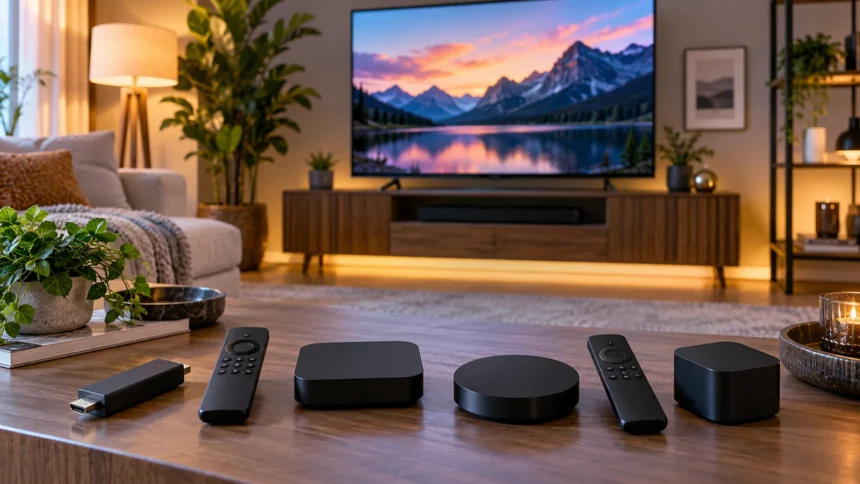
A good streaming device can make an older television feel modern again and can even improve the experience on a newer smart TV with slow or cluttered software. The best streaming devices provide fast menus, reliable apps, 4K HDR playback, voice controls, and simple access to services such as Netflix, Disney+, YouTube, Prime Video, and Apple TV.
Choosing the right streamer is not simply about buying the fastest box. Your TV’s resolution, preferred streaming services, Wi-Fi setup, smart-home ecosystem, and interest in Dolby Vision or Dolby Atmos all influence which device makes sense. Some households also value Ethernet, local media playback, extra storage, or the ability to control connected-home devices from the television.
Current options from Roku, Apple, Amazon, and Google cover very different priorities. Roku emphasizes straightforward navigation, Apple offers deep ecosystem integration, Amazon combines streaming with Alexa, and Google blends entertainment with Google Home features. Understanding those differences makes it easier to choose a device that improves your TV rather than simply adding another remote.
What to Look for in a Streaming Device
Start with the video formats supported by both your television and the streaming player. A 4K TV benefits from a device capable of 4K at 60 frames per second, while HDR formats such as Dolby Vision, HDR10, and HDR10+ can improve contrast and color when compatible content and hardware are available.
Performance matters because a sluggish interface can make basic tasks unnecessarily frustrating. Faster processors and sufficient memory help apps launch quickly, menus respond smoothly, and large streaming libraries remain easy to browse. Storage is also worth checking because some devices offer substantially more room for applications and downloaded software than inexpensive streaming sticks.
Connectivity should match your home network and entertainment setup. Modern Wi-Fi is convenient, while an Ethernet port can provide a stable wired connection when your router is close to the television. Bluetooth, HDMI control, voice remotes, and smart-home integration may also matter depending on the speakers, headphones, controllers, and other devices you use.
Roku Ultra for Straightforward Premium Streaming
Roku Ultra is a strong option for households that want a dedicated streaming box with an uncomplicated interface. It supports 4K playback at up to 60fps along with Dolby Vision, HDR10+, HDR10, and HLG. Roku also includes Wi-Fi 6 and an Ethernet connection, giving users the choice between wireless convenience and wired networking.
The device also includes USB connectivity for local media and comes with Roku’s rechargeable Voice Remote Pro. This makes it more flexible than basic sticks for people who regularly use private listening, voice search, or local files. Roku’s interface is primarily focused on helping users move between apps rather than tying the experience strongly to one phone or smart-home brand.
Roku Ultra makes particular sense for family rooms where several people use different streaming services. Its platform does not require everyone to be deeply invested in Apple, Google, or Amazon products. If you want a conventional streaming box with a familiar remote, strong HDR support, and Ethernet, it provides a practical premium option.
Apple TV 4K for Apple Users
Apple TV 4K is especially attractive for people who already use iPhones, iPads, AirPods, Apple Music, or Apple Home. The current model uses Apple’s A15 Bionic processor and supports video up to 4K at 60fps. Compatible content can play in Dolby Vision, HDR10+, HDR10, and HLG, while Dolby Atmos support benefits suitable home-theater systems.
Performance is one of its biggest advantages. The relatively powerful processor makes navigation feel responsive and provides enough overhead for apps and some gaming experiences. Apple’s Siri Remote includes a touch-enabled clickpad, while the Ethernet-equipped Apple TV configuration can connect through a wired network when wireless performance is inconsistent.
The strongest reason to choose Apple TV 4K is ecosystem integration rather than specifications alone. AirPlay makes it easy to send compatible content from Apple devices to the television, and the box can participate in Apple Home setups. Households centered on Android or Alexa may find less value in those ecosystem-specific advantages.
Fire TV Stick 4K Max for Alexa Households
Amazon’s Fire TV Stick 4K Max is a compact option that provides many premium streaming capabilities without requiring a larger set-top box. The second-generation model supports Dolby Vision, HDR10, HDR10+, HLG, and Dolby Atmos. It also includes Wi-Fi 6E connectivity and 16GB of storage, providing more app space than many entry-level sticks.
Alexa integration is central to the experience. The included voice remote can search for content, open apps, control compatible television functions, and interact with supported Alexa features. People who already use Echo speakers or other Alexa-compatible equipment may appreciate having the television become another part of the same ecosystem.
The Fire TV interface places significant emphasis on Amazon services and content discovery, so personal preference matters. Some viewers appreciate the recommendations and integration, while others prefer a simpler app-focused layout. For Prime Video users and Alexa households, however, the combination of 4K HDR support, Wi-Fi 6E, and a small form factor is appealing.
Google TV Streamer 4K for Google Home Integration
Google TV Streamer 4K is designed as a more capable replacement for older Chromecast-style hardware. It supports playback up to 4K HDR at 60fps along with Dolby Vision, HDR10, HDR10+, HLG, and Dolby Atmos. Google equips the device with 4GB of memory and 32GB of storage, giving it considerable room for streaming applications.
Unlike small HDMI sticks that hide behind the television, the Google TV Streamer is a dedicated box. It includes Gigabit Ethernet along with Wi-Fi, Bluetooth, HDMI, and USB-C connectivity. The remote provides voice search and a customizable button, while Google TV organizes content and recommendations from multiple supported streaming services.
Its smart-home capabilities are particularly interesting. The box can act as a Matter hub and Thread border router, connecting compatible smart-home products within Google Home. That makes it useful for people who want their entertainment system and connected-home controls to live within the same Google-centered environment.
Streaming Stick vs. Streaming Box
Streaming sticks are appealing because they are inexpensive, compact, and easy to move between televisions. They plug directly into an HDMI port and generally require little desk or cabinet space. A good 4K stick can handle everyday Netflix, YouTube, Disney+, Prime Video, and other mainstream streaming services without requiring a large separate device.
Dedicated boxes generally have more room for stronger processors, Ethernet ports, additional storage, and extra connections. Roku Ultra, Apple TV 4K, and Google TV Streamer demonstrate this approach. They make sense for a primary living-room television where performance, wired networking, and long-term convenience may matter more than keeping the hardware completely hidden.
A stick can be ideal for a bedroom, guest room, travel setup, or secondary television. A box is usually more attractive for enthusiasts building a permanent entertainment system. Consider how heavily the television is used rather than assuming that the more expensive form factor will automatically produce a noticeable benefit for every household.
4K, HDR, Dolby Vision, and Dolby Atmos Explained
4K describes a higher display resolution than Full HD and provides greater image detail on compatible televisions. However, resolution alone does not determine picture quality. Contrast, brightness, color reproduction, the source material, and the quality of the television itself can have just as much impact on how movies and shows actually look.
HDR expands the range between darker and brighter parts of an image when content, streaming device, and television all support the required format. Dolby Vision and HDR10+ can use dynamic metadata to adjust presentation throughout compatible content. Owning a streaming player with these formats does not improve unsupported movies or compensate for a television with weak HDR performance.
Dolby Atmos concerns audio rather than picture quality. When used with compatible content and sound equipment, it can create a more immersive surround presentation. If you only use basic television speakers, advanced audio format support may be less important than interface speed, Wi-Fi reliability, and access to your favorite streaming applications.
Wi-Fi and Ethernet for Reliable Streaming
A stable internet connection is essential for maintaining high-quality streams. 4K content requires more bandwidth than standard-definition or Full HD video, and weak Wi-Fi can produce buffering or automatic reductions in picture quality. Router placement, network congestion, distance, walls, and the number of connected devices can all affect streaming reliability.
Newer wireless standards can improve capacity and performance when the router and streaming device both support them. Roku Ultra currently includes Wi-Fi 6, while Amazon’s Fire TV Stick 4K Max supports Wi-Fi 6E. The Google TV Streamer also provides built-in Ethernet, which can be useful when a wired connection is available.
Ethernet is not essential for every household. Strong modern Wi-Fi can handle 4K streaming perfectly well when signal quality is good. Wired networking becomes more valuable when the television is near a router or network switch and you want consistent performance without worrying about wireless interference during busy evening streaming sessions.
Voice Control and Smart Home Features
Voice remotes make it easier to search for movies, launch applications, and control basic television functions without repeatedly typing with an on-screen keyboard. Amazon uses Alexa, Google provides Google Assistant-related voice functionality within its ecosystem, Apple uses Siri, and Roku includes its own voice-control features. The usefulness depends largely on which ecosystem you already prefer.
Streaming devices can also become part of a broader connected-home setup. Google TV Streamer includes Matter hub and Thread border-router capabilities, while Apple TV can participate in Apple Home. Amazon Fire TV devices pair naturally with Alexa equipment, allowing televisions and compatible home devices to become more closely connected.
If you are expanding beyond the television, devices such as smart speakers can add hands-free controls throughout the house. Choosing streaming hardware and home-automation products within compatible ecosystems can make everyday routines easier, although Matter support is gradually reducing the need to remain completely locked into a single brand.
When Your Smart TV Still Needs a Streaming Device
Modern televisions already include streaming applications, so an external player is not always necessary. If your TV interface is fast, receives software updates, supports all your favorite apps, and provides reliable playback, adding another device may offer little benefit. It is worth testing the existing smart platform before spending money simply because dedicated streamers exist.
An external player becomes more valuable when built-in software feels slow or stops receiving important applications. Older televisions may also lack newer streaming platforms, responsive voice search, improved HDR support, or flexible smart-home integration. Replacing the streaming device is considerably cheaper than replacing an otherwise good television simply because its software has aged.
Consistency is another advantage. Using the same streaming platform across several televisions means family members do not need to learn completely different interfaces in each room. A familiar remote, app layout, and voice assistant can make a multi-TV household easier to manage, particularly for users who prefer predictable menus.
How to Choose the Best Streaming Device for Your TV
Start with your existing ecosystem. Apple households will generally gain the most from Apple TV 4K, Alexa users may appreciate Fire TV, and Google Home users can benefit from Google TV Streamer’s connected-home features. Roku is particularly attractive when you want a more platform-neutral interface without centering the experience on a broader technology ecosystem.
Next, compare the features your television can actually use. Paying extra for Dolby Vision does not matter if the TV does not support Dolby Vision, while Gigabit Ethernet provides little benefit if no wired connection is available near your entertainment system. Match specifications to your current equipment instead of purchasing features simply because they sound advanced.
Finally, think about how long you expect to keep the streamer. A primary living-room device may justify spending more for faster navigation, larger storage, Ethernet, and stronger ecosystem integration. For an occasionally used secondary television, a compact 4K stick can provide everything necessary without turning a simple streaming setup into an expensive upgrade.
Conclusion
The best streaming device for your TV depends on more than raw processing power. Roku Ultra offers a straightforward premium streaming experience, Apple TV 4K integrates deeply with Apple products, Fire TV Stick 4K Max fits naturally into Alexa households, and Google TV Streamer combines entertainment with useful Google Home capabilities.
Before choosing, check your television’s resolution and HDR support, your network setup, preferred apps, and the smart-home ecosystem you already use. Features such as Dolby Vision, Dolby Atmos, Ethernet, Wi-Fi 6E, Matter, and Thread are valuable only when they fit the rest of your technology setup and viewing habits.
A well-chosen streaming player can keep a television useful for years after its original smart software begins feeling outdated. You do not necessarily need the most expensive option. Choose the device that gives you reliable apps, smooth navigation, good picture quality, and an interface your household will actually enjoy using.
FAQs
What is the best streaming device for a 4K TV?
Roku Ultra, Apple TV 4K, Fire TV Stick 4K Max, and Google TV Streamer all support 4K viewing. The best choice depends on your preferred interface, ecosystem, HDR formats, networking needs, and budget.
Do I need a streaming device if I already have a smart TV?
Not necessarily. If your smart TV is fast and supports all your services, you may not need one. A separate streamer becomes useful when built-in software feels slow, outdated, or limited.
Is Ethernet better than Wi-Fi for streaming?
Ethernet can provide a stable wired connection and avoid wireless interference. Strong Wi-Fi is still perfectly capable of reliable 4K streaming, so wired networking is most useful when your wireless signal is inconsistent.
Is Dolby Vision important on a streaming device?
Dolby Vision can improve compatible HDR content when your television also supports the format. It provides no benefit on a TV without Dolby Vision, so check your display specifications before making it a priority.
Which streaming device is best for smart home control?
Google TV Streamer is attractive for Google Home users because it includes Matter hub and Thread border-router functionality. Apple TV and Fire TV also offer useful integration within Apple Home and Alexa-centered households.
