

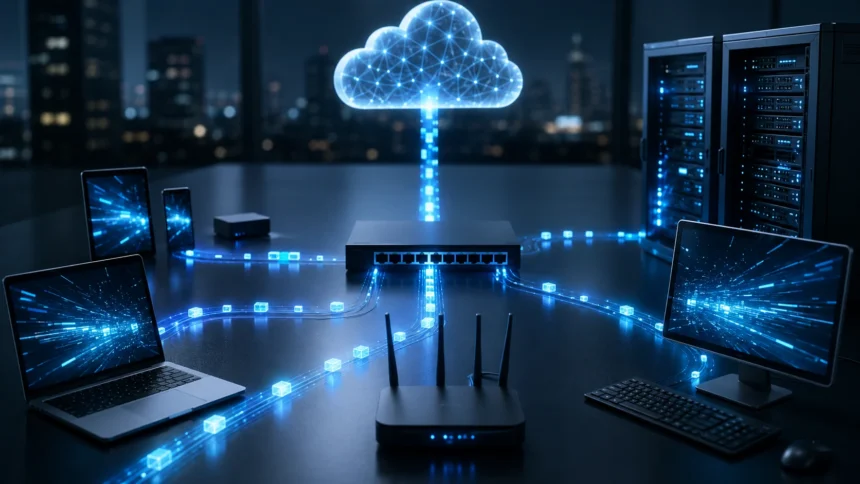
What Is a Packet? How Data Packets Work in Networking
When you send an email, stream a movie, open a website, or upload a file, the information does not usually travel across a network as one large block. Instead, it is divided into smaller units known as packets. These packets move independently through networks before being combined again at their destination.
Understanding what a packet is helps explain how modern computer networks and the internet transfer enormous amounts of information efficiently. Packet-based communication allows devices to share network resources, recover from transmission problems, and send information across different paths without requiring one dedicated connection.
Each data packet normally contains more than the actual information being transmitted. It also carries networking details such as source and destination addresses, protocol information, sequencing data, and error-checking information that helps routers and receiving devices process the packet correctly.
Whether you are learning networking, cybersecurity, cloud computing, or basic internet technology, understanding data packets provides a foundation for many other concepts. Technologies including TCP/IP, routers, switches, firewalls, packet filtering, and network monitoring all depend heavily on packet-based communication.
What Is a Packet in Networking?
A packet is a small formatted unit of data that is transmitted across a computer network. When a large piece of information needs to travel between devices, networking protocols typically divide that information into manageable pieces so it can move efficiently through the network.
A packet contains both the information being transferred and additional control information required for delivery. The data portion is usually called the payload, while other sections provide details that networking devices use to identify where the packet came from and where it should go.
Breaking information into packets allows multiple users and applications to share the same network infrastructure. Instead of one device controlling a communication path for an entire transmission, packets from different users can travel across the network as capacity becomes available.
Packets are fundamental to modern internet communication because they make networks flexible and scalable. A web request, video stream, online game, cloud application, or file download may involve thousands or even millions of packets moving between computers and networking equipment.
Why Is Data Divided Into Packets?
Sending very large files as single blocks would make networks inefficient and difficult to manage. If an error occurred during transmission, the entire file might need to be sent again, consuming bandwidth and causing unnecessary delays for both users and network infrastructure.
Packetization solves this problem by dividing large amounts of data into smaller pieces. If one packet becomes damaged or lost, reliable transport protocols can often request or retransmit only the missing information instead of repeating the entire original transmission.
Smaller packets also allow network capacity to be shared more fairly between applications. Your browser, messaging application, video conference, and cloud backup can all send packets through the same internet connection rather than waiting for another application to finish communicating.
This approach also allows routers to make individual forwarding decisions for packets. When several network routes are available, packets may travel through different paths depending on traffic conditions, network failures, routing rules, and the current availability of network resources.
What Does a Data Packet Contain?
Most network packets contain structured information that can be divided conceptually into a header, payload, and sometimes a trailer. The exact packet structure depends on the networking protocol and the layer of communication being examined.
The header contains information that networking devices need to process and deliver data. Depending on the protocol, it may include source and destination addresses, packet length, protocol identifiers, sequence numbers, ports, flags, and other fields used during communication.
The payload contains the actual information being transported. It might include part of a webpage, an image, a message, a video stream, application data, or another protocol message that is being carried inside the current packet or frame.
Some networking structures also include information used for error detection. Ethernet frames, for example, can contain a frame check sequence that helps receiving equipment detect whether information may have been corrupted while traveling across the physical network.
Packet Header Explained
The packet header acts somewhat like delivery information attached to a parcel. The receiving network equipment needs instructions about where information should go, what kind of information it contains, and how it should be handled during transmission.
An IP packet header commonly includes a source IP address and destination IP address. These addresses help routers understand the packet’s origin and determine which network should receive it as the packet moves through interconnected systems.
Headers may also contain fields that support traffic handling and packet management. Internet Protocol headers include values related to packet size, fragmentation, protocol identification, and a hop-control mechanism designed to prevent packets from circulating around networks indefinitely.
Transport protocols can add additional headers. TCP, for example, includes port numbers, sequence numbers, acknowledgment information, and control flags that allow devices to establish reliable communication and organize transmitted information in the correct sequence.
What Is the Payload of a Packet?
The packet payload is the useful data being carried from one system toward another. If you are downloading an image, for example, portions of the image data may be placed inside the payload sections of many separate packets.
Payload size varies depending on the protocol, application, and network configuration. Networks place limits on how much information can be transmitted within a frame or packet, helping equipment process traffic efficiently and reducing problems associated with oversized transmissions.
Payload information can itself contain additional protocol structures because network communication relies on encapsulation. For example, an Ethernet frame may carry an IP packet, which may contain a TCP segment, which may then contain application information from protocols such as HTTP.
Encryption can also protect packet payloads from unauthorized viewing. Technologies such as HTTPS and virtual private networks can encrypt communication so that intercepted network traffic does not simply reveal the original application data in readable form.
How Do Data Packets Work?
The packet delivery process usually begins when an application generates information that needs to reach another system. Networking software prepares that information according to relevant communication protocols before the data leaves the sending computer or device.
As information moves through the networking stack, additional protocol details are added. Transport protocols may divide application information into suitable units, while the Internet Protocol adds addressing information so packets can move between networks toward the correct destination.
The packet then travels through network equipment such as switches and routers. Routers examine destination information and consult routing tables to decide which next network connection provides an appropriate path toward the final destination.
When packets reach the receiving device, the networking stack processes and removes the relevant protocol information. The original application data is then reconstructed or delivered to the appropriate software so the user can view the webpage, message, file, video, or other requested content.
A Simple Example of Packet Transmission
Imagine downloading a large photograph from a website. The server does not normally send the entire image as one enormous transmission. Instead, networking protocols help divide the information into multiple units that can be transported efficiently across the internet.
Each piece receives control information needed to travel through the network. Routers handling the traffic look at destination addresses and forward packets toward your internet service provider, local network, and eventually the device requesting the image.
Not every packet necessarily experiences identical network conditions. Some packets may encounter congestion, take slightly different routes, experience delays, or even become lost while moving across interconnected networks between the server and your device.
Reliable protocols can identify missing information and arrange retransmission when necessary. After the required data reaches your computer, the browser processes the information and reconstructs the image so it appears as a complete picture rather than separate network packets.
What Is Packet Switching?
Packet switching is a networking method in which information is divided into packets that share communication links with other network traffic. Each packet can be forwarded through networking equipment based on available routes and destination information.
This differs from traditional circuit-switched communication, where a dedicated communication path can remain reserved between participants for the duration of a connection. Packet switching allows network infrastructure to be used dynamically by many devices and applications simultaneously.
The internet relies extensively on packet-switched networking. Routers continuously receive packets, examine routing information, and forward traffic toward appropriate destinations without requiring a permanent physical route between every communicating computer.
Packet switching improves resource utilization and supports enormous network growth. Because capacity can be shared among millions of devices, internet infrastructure can accommodate browsing, messaging, streaming, gaming, cloud applications, and countless other forms of communication at the same time.
What Is the Difference Between a Packet and a Frame?
A packet and a frame represent related but different concepts within networking models. The term packet is commonly associated with the network layer, particularly Internet Protocol communication, while frames are normally associated with the data link layer.
An IP packet contains logical addressing information such as source and destination IP addresses. These addresses help network routers move information across separate networks and ultimately toward the correct destination system.
A frame provides information needed to transmit data across a particular local network link. An Ethernet frame, for example, contains source and destination MAC addresses along with other fields required for communication across an Ethernet network.
During transmission, an IP packet can be carried inside a frame. When traffic crosses a router onto another network connection, the packet may remain logically associated with the IP communication while being placed inside a new link-layer frame appropriate for the next connection.
Packet vs Segment: What Is the Difference?
A segment is a term commonly associated with TCP communication at the transport layer, while a packet commonly refers to information handled at the network layer. Networking terminology can vary, but these distinctions help students understand how encapsulation works.
TCP receives application information and organizes it into units that contain transport-layer information. TCP headers provide features such as source and destination ports, sequence numbers, acknowledgments, flags, and other mechanisms used for reliable communication.
The TCP segment can then be placed inside an IP packet. Internet Protocol adds network-layer addressing and routing information so routers can forward the packet between networks toward the destination computer.
At the data link layer, the IP packet is normally carried inside a frame suitable for the local network technology. This layered approach allows different protocols to handle specific responsibilities while collectively delivering application data between devices.
TCP Packets and Reliable Data Delivery
TCP, or Transmission Control Protocol, provides reliable and connection-oriented communication for many internet applications. It uses sequencing, acknowledgments, retransmissions, and flow-control mechanisms to help ensure information reaches the receiving application correctly.
Sequence numbers allow TCP to keep track of transmitted data. When information arrives at its destination, acknowledgments help the sender determine which portions have been received and whether additional data needs to be transmitted.
If expected information does not arrive within appropriate conditions, TCP can retransmit it. This reliability is important for activities where missing data could cause problems, including loading webpages, transferring files, sending email, and communicating with many business applications.
TCP reliability introduces additional processing and communication overhead compared with simpler transport protocols. However, for applications that require accurate and ordered data delivery, these mechanisms provide an important balance between network performance and transmission reliability.
UDP Packets and Faster Communication
UDP, or User Datagram Protocol, provides a simpler transport mechanism than TCP. It does not establish the same type of reliable connection and does not inherently guarantee that every datagram reaches its destination or arrives in the original order.
Because UDP requires less transport-layer overhead, it can be useful for applications where speed and low latency are more important than perfect delivery. Real-time communication often benefits from receiving current information quickly rather than waiting for older missing information.
Common UDP-based or UDP-using applications can include DNS queries, voice communication, online gaming, streaming technologies, and modern internet protocols designed to manage reliability differently. The exact protocol choice depends on application requirements and implementation.
Using UDP does not mean an application cannot provide reliability. Developers can implement recovery, acknowledgment, congestion control, or other mechanisms at another layer when needed, allowing applications to balance performance and reliability according to their specific needs.
How Routers Handle Network Packets
A router connects different networks and forwards packets between them. When a router receives an IP packet, it examines destination information and uses its routing table to determine where the packet should be sent next.
Routing tables contain information about reachable networks and preferred paths. These routes may be learned through manually configured rules, directly connected networks, or dynamic routing protocols that exchange network information between routers.
Packets may pass through many routers before reaching their destination. Each router represents another hop in the journey and typically makes its own forwarding decision based on current routing information rather than following instructions containing the complete end-to-end route.
If routing conditions change because of congestion, outages, maintenance, or network topology changes, traffic can sometimes move through alternative paths. This flexibility is one reason packet-switched networks can continue operating even when individual links become unavailable.
What Happens When a Packet Is Lost?
Packet loss occurs when transmitted packets fail to reach their intended destination. Loss can happen because of network congestion, faulty equipment, wireless interference, damaged connections, overloaded devices, configuration problems, or other network conditions.
The impact depends heavily on the application and transport protocol. TCP-based communication can retransmit missing information, although repeated retransmissions may increase delays and reduce the apparent speed of the connection.
Real-time applications can react differently because waiting for retransmitted information may be undesirable. Video calls, voice communication, and online games may show freezing, distorted audio, lag, or brief interruptions when packet loss becomes significant.
Network administrators often measure packet loss when troubleshooting performance problems. Monitoring tools, ping tests, packet captures, interface statistics, and network management platforms can help determine whether data is being dropped and where the underlying problem may exist.
What Is Packet Delay and Network Latency?
Network latency describes the time required for information to travel across a network. Packets can experience delays while moving through transmission links, routers, switches, wireless networks, internet service providers, and remote infrastructure.
Distance can contribute significantly to latency because signals require time to travel between locations. Processing time, routing paths, network congestion, wireless conditions, and the performance of intermediate equipment can further increase total delay.
Applications react differently to latency. A slight delay may be barely noticeable during normal web browsing, while interactive applications such as competitive gaming, remote desktops, and video conferencing can become difficult to use when latency becomes excessive.
Latency should not be confused with bandwidth. Bandwidth describes how much information a connection can carry over a period, while latency describes delay. A connection can provide high bandwidth while still experiencing noticeable latency because of routing distance or other network conditions.
What Is Packet Fragmentation?
Packet fragmentation occurs when an IP packet must be divided into smaller pieces to travel through a network path that cannot accommodate its original size. Packet-size limitations are closely related to the maximum transmission unit, or MTU.
Different networks can support different maximum frame or packet sizes. When a packet exceeds what a particular path can transmit, fragmentation or alternative packet-size handling mechanisms may be needed depending on the IP version and network configuration.
Excessive fragmentation can reduce efficiency because additional pieces require processing and may increase communication overhead. Losing one fragment can also affect successful processing of the larger original packet.
Modern networks generally attempt to avoid unnecessary fragmentation by selecting appropriate packet sizes. Path MTU discovery and related networking mechanisms can help systems determine suitable transmission sizes across end-to-end communication paths.
What Is MTU and Why Does Packet Size Matter?
MTU, or Maximum Transmission Unit, describes the largest amount of network-layer data that can generally be carried in a single data-link frame without requiring fragmentation on a particular link.
Ethernet networks commonly use an MTU of around 1500 bytes for IP traffic, although other configurations and technologies can support different sizes. VPNs, tunnels, specialized networks, and jumbo-frame environments may change the effective packet-size considerations.
Choosing packet sizes involves trade-offs. Larger packets can reduce the proportion of bandwidth consumed by protocol headers, while smaller packets can limit the amount of data affected when errors occur and may suit certain network conditions better.
Incorrect MTU settings can produce unusual connectivity problems. Some websites or applications may partially work while larger transmissions fail, particularly when network devices improperly block messages used for discovering an appropriate packet size.
What Is Packet Encapsulation?
Packet encapsulation is the process of adding protocol information as application data moves down through networking layers. Each layer performs a particular role and may attach its own header or other information before transmission.
An application can generate data using a protocol such as HTTP. A transport protocol such as TCP then adds transport information, after which Internet Protocol adds network-layer information including IP addresses.
The resulting IP packet can then be placed inside a data link frame such as Ethernet or Wi-Fi. The physical network converts this information into electrical, optical, or radio signals that can travel through cables, fiber connections, or wireless environments.
The receiving device performs the reverse process, often called decapsulation. Each networking layer examines and removes the information relevant to it before passing the remaining data upward until the original application receives the information.
How Packets Travel Across the Internet
When a packet leaves your computer, it first moves through your local networking environment. Depending on your connection, it may travel through Wi-Fi or Ethernet toward your router and then through equipment operated by your internet service provider.
Internet service providers connect with wider regional and global networks through extensive routing infrastructure. Packets can pass through multiple autonomous networks before they reach the organization, cloud provider, content delivery network, or server hosting the requested service.
Routers primarily use destination information to determine where packets should travel next. Routing protocols exchange reachability information so large networks can learn how to direct traffic toward millions of network destinations throughout the internet.
The reply follows its own routed path back toward your device. Because internet routing decisions can change dynamically, request and response traffic do not always need to follow exactly the same physical route through the global network.
Can Packets Take Different Routes?
Packets involved in one communication session can sometimes travel through different network paths. Routing decisions depend on network architecture, load-balancing mechanisms, routing tables, internet service provider policies, and changes occurring within network infrastructure.
This flexibility helps make large packet-switched networks resilient. If one connection fails, routing protocols may eventually direct traffic through alternative available paths rather than requiring the entire communication system to stop functioning.
Different paths can introduce different delays. This variation in packet arrival timing is known as jitter and can affect time-sensitive applications such as voice calls, live streaming, online games, and interactive video communication.
Protocols and applications use different techniques to handle these conditions. Buffering, sequencing, congestion management, retransmissions, and adaptive streaming can help maintain usable performance when packet delivery conditions change.
How Packet Inspection Works
Packet inspection involves examining information contained within network traffic. Network administrators and security systems may inspect packet headers to understand addressing, protocols, ports, connection patterns, and other characteristics of network communication.
Basic packet filtering typically makes decisions using information available in packet or transport headers. Firewalls may allow or block traffic based on IP addresses, ports, protocols, network direction, connection state, and security rules.
Deep packet inspection can analyze information beyond basic addressing fields when traffic is accessible for inspection. It may be used for network security, application identification, performance monitoring, policy enforcement, or detecting suspicious communication patterns.
Encryption significantly limits what intermediaries can read from application payloads. While some metadata may remain visible depending on the protocol, properly encrypted communication protects important content from being easily examined by unauthorized observers.
How Firewalls Use Packets
A firewall controls network traffic according to predefined security rules. Because communication moves through networks as packets, firewalls can examine packet characteristics before deciding whether traffic should be permitted, rejected, dropped, or processed further.
Traditional packet-filtering firewalls can evaluate information such as source addresses, destination addresses, port numbers, and protocols. This provides basic access control by defining which systems and network services may communicate.
Stateful firewalls provide additional awareness by tracking active connections. Instead of analyzing every packet completely independently, they can determine whether incoming traffic belongs to an expected connection that was established according to security rules.
Modern security platforms can combine packet analysis with intrusion prevention, application awareness, threat intelligence, malware detection, identity controls, and encrypted traffic management. Packet processing therefore remains central to many layers of network security.
What Is Packet Sniffing?
Packet sniffing is the process of capturing and examining network traffic. Network engineers frequently use packet capture tools when diagnosing connectivity problems, investigating application behavior, analyzing protocol communication, or troubleshooting performance.
Captured traffic can reveal detailed technical information about conversations between devices. Analysts can examine packet timing, addresses, ports, connection establishment, retransmissions, errors, protocol messages, and other patterns useful for identifying network problems.
Packet sniffing can also create security and privacy risks when performed without authorization. Attackers who gain access to network traffic may attempt to collect sensitive information, particularly when applications use insecure or unencrypted communication protocols.
Encryption reduces this exposure by making application data unreadable without appropriate cryptographic keys. Network administrators should still control access to packet capture capabilities because even encrypted traffic can reveal useful metadata about communication patterns.
Why Data Packets Matter for Cybersecurity
Packets provide valuable information about what is happening across a network. Security analysts can examine network traffic to identify unusual destinations, unexpected protocols, scanning behavior, suspicious connections, malware communication, and potential data exfiltration.
Intrusion detection and prevention systems frequently analyze network traffic for known malicious patterns or unusual behavior. Packet headers, flow information, timing characteristics, and accessible application data can all contribute to security decisions.
Attackers also rely on networking concepts when targeting systems. Techniques such as spoofing, denial-of-service attacks, reconnaissance, and session-related attacks often involve manipulating or generating network traffic in ways that affect packet processing.
Understanding packets therefore provides useful knowledge for anyone studying cybersecurity. Concepts such as firewall rules, network segmentation, traffic analysis, VPNs, encryption, intrusion detection, and zero-trust networking become easier to understand once packet communication is familiar.
Common Packet-Related Networking Problems
Packet loss is one of the most recognizable network problems because it can cause poor calls, interrupted streaming, slow applications, or unreliable connections. Congestion and weak wireless signals are common causes, although infrastructure problems can also contribute.
High latency can make applications feel slow even when download speeds appear strong. Long routing paths, overloaded equipment, satellite links, distant servers, and inefficient network configurations can all increase the time packets need to reach their destinations.
MTU mismatches and fragmentation problems can produce harder-to-diagnose behavior. Certain applications may fail while basic connectivity remains available, making packet-size analysis important during advanced network troubleshooting.
Packet reordering, duplication, corrupted frames, and jitter can also affect communication quality. Network monitoring and packet analysis tools help administrators distinguish between application problems and transport-related issues occurring somewhere along the network path.
How Network Engineers Analyze Packets
Network engineers use packet analysis when ordinary monitoring information does not fully explain a problem. Capturing traffic can provide a detailed view of exactly how computers and applications are communicating across the network.
Tools such as packet analyzers allow technicians to inspect protocol headers, connection handshakes, DNS requests, retransmissions, acknowledgments, errors, and timing information. These details can reveal problems that might otherwise remain hidden.
Engineers can apply filters to isolate relevant traffic rather than examining every packet passing through an interface. Filtering by IP address, protocol, port, conversation, or error condition helps make large captures easier to investigate.
Effective packet analysis requires understanding normal protocol behavior. Once analysts know what healthy communication should look like, unusual retransmissions, incorrect responses, connection resets, excessive delays, and malformed traffic become easier to recognize.
Why Packets Are Essential to Modern Networks
Packets make modern digital communication efficient because they allow network resources to be shared dynamically. Thousands of applications can communicate through the same network infrastructure without requiring permanent dedicated connections between every pair of devices.
Packet-based networking also improves resilience. Routers can respond to network changes, communication protocols can recover from certain transmission problems, and traffic can be balanced across available infrastructure as networks grow.
Cloud computing depends heavily on this flexibility. Applications running across data centers, public clouds, private networks, edge infrastructure, and remote devices exchange enormous volumes of packetized information every second.
From a simple text message to a high-resolution video stream, packet communication operates behind most online experiences. Understanding how packets work therefore provides one of the clearest starting points for understanding the internet and modern computer networking.
Final Thoughts
A packet is a structured unit of information used to transfer data across computer networks. Instead of transmitting large amounts of information as a single block, networking technologies divide communication into smaller units that can be processed and delivered efficiently.
Packets contain both payload data and control information such as addressing and protocol details. Routers, switches, operating systems, firewalls, and applications use this information at different stages to move data toward the correct destination.
Technologies such as TCP/IP, packet switching, encapsulation, routing, packet inspection, and network security all build upon the basic concept of packetized communication. Learning how these components interact makes complex networking concepts much easier to understand.
The next time you open a webpage, stream a video, or send a message, countless packets may be moving through routers and network links behind the scenes. Together, these small units make fast, scalable, and reliable global digital communication possible.
Frequently Asked Questions
What is a packet in simple words?
A packet is a small piece of data sent across a computer network. Large information such as files, webpages, and videos is divided into packets before being transmitted and reconstructed at the destination.
What are the main parts of a data packet?
A packet generally contains a header and payload, while some network structures also include trailers. The header carries delivery information, while the payload contains the actual data being transmitted.
Why does the internet use packets?
Packets allow many users and applications to share network connections efficiently. They also make routing flexible and allow missing information to be retransmitted without sending an entire file again.
What happens if a packet gets lost?
With reliable protocols such as TCP, missing information can usually be detected and retransmitted. Packet loss may still cause slower performance, lag, freezing, or poor call quality when it becomes excessive.
What is the difference between a packet and a frame?
A packet usually refers to network-layer data containing IP information, while a frame operates at the data link layer. Frames carry packets across individual network connections such as Ethernet or Wi-Fi.
