

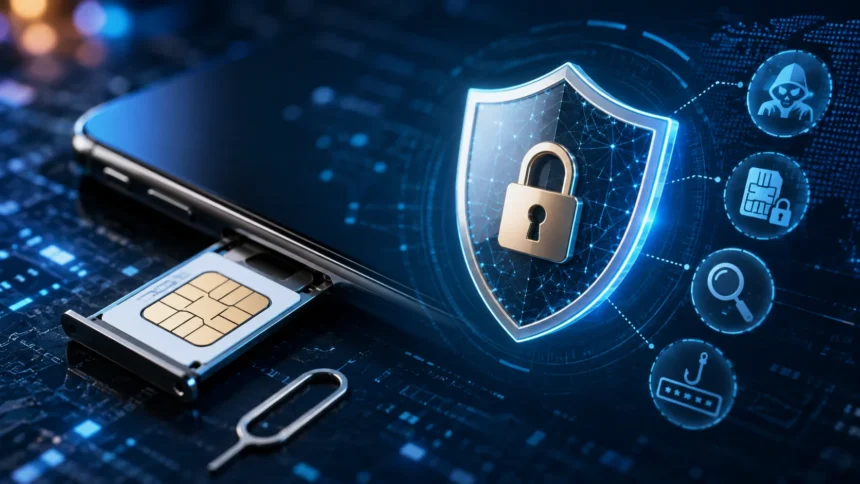
SIM Security: Risks, Threats & How to Stay Safe
SIM security refers to the protections used to keep your mobile number, SIM card, eSIM profile, cellular account, and the online accounts connected to that phone number from unauthorized access. Your SIM helps your mobile network identify your subscription so your phone can make calls, receive text messages, and use cellular data. Because phone numbers are also widely used for password resets and verification codes, criminals who gain control of a mobile number may be able to attack much more than the phone service itself. SIM swapping, port-out fraud, phishing, account takeover, physical SIM theft, and SMS interception are therefore important risks for both individuals and businesses. Protecting your SIM is really about protecting the wider digital identity connected to your mobile number.
SIM-related attacks are especially serious when a phone number serves as the recovery method for email, banking, social media, cryptocurrency, or business accounts. A SIM-swap scam can allow a criminal to convince a carrier to move a victim’s service to another SIM and then receive calls and verification texts intended for the victim. Modern cybersecurity practices increasingly recommend stronger authentication methods because SMS-based verification remains vulnerable to SIM swapping, phishing, and account-recovery abuse. Passkeys, hardware security keys, and authenticator apps can provide stronger protection for important accounts. This guide explains the major SIM security threats, warning signs, protection methods, eSIM considerations, and what to do if your mobile number is compromised.
What Is SIM Security?
SIM security covers the technologies, settings, account protections, and personal security practices that prevent unauthorized people from taking control of your cellular identity. The physical SIM or eSIM is only one part of the security picture because criminals do not necessarily need to steal the card itself. They may instead convince a mobile carrier that they are the legitimate customer and request a SIM replacement or number transfer. Protecting your mobile service therefore requires security at several layers, including your phone, carrier account, email account, authentication methods, and recovery information. A strong approach assumes that attackers may target whichever part of that chain is easiest to manipulate.
A SIM, or Subscriber Identity Module, contains information that allows a mobile network to recognize and authenticate a subscription. Traditional SIM cards are removable chips inserted into a phone, while an eSIM performs a similar role using an embedded component and a digitally provisioned mobile profile. Neither format should be viewed as a complete security system by itself. The cellular provider still maintains the customer account and controls operations such as replacing a SIM, activating an eSIM, or transferring the telephone number to another provider. This carrier-controlled layer is why social engineering can sometimes defeat security even when an attacker never physically touches the victim’s phone.
Phone-number security matters because modern digital identity systems frequently treat possession of a telephone number as evidence that someone is the legitimate account owner. Banks and websites may text temporary login codes, while account-recovery systems can send password-reset information to the registered number. If an attacker successfully redirects that number, they may receive those messages instead. This makes SMS-based verification less resistant to SIM swaps than authentication methods that are tied to a device or cryptographic key. A secure digital setup should therefore avoid making one telephone number the only path into several high-value accounts.
SIM security also involves protecting personal information that criminals can use when impersonating customers. A fraudster may collect a person’s full name, telephone number, address, birth date, passwords, account details, or answers to security questions through data breaches, phishing, social media, or previous scams. The attacker can then use those details to make a fraudulent request appear believable. Limiting unnecessary personal information shared publicly and being cautious with unexpected requests for account details can reduce this risk. Strong SIM protection therefore starts before anyone contacts your mobile provider because preventing attackers from gathering convincing identity information can make social engineering more difficult.
The simplest way to think about SIM security is that your phone number is an account that deserves its own cybersecurity protections. People routinely protect banking accounts with strong passwords while leaving their carrier accounts secured by weak PINs, reused credentials, or easily guessed verification information. That creates an imbalance because controlling the phone number can help attackers reach other services. Strong carrier authentication, a unique account password, port or SIM-change protections, phishing-resistant MFA on important accounts, and rapid response to unexpected service loss form a much stronger defense. The objective is not only protecting cellular service but preventing the number from becoming a shortcut into the rest of your digital life.
How SIM Cards and eSIMs Work
A traditional SIM card contains credentials that allow the cellular network to authenticate the subscriber and associate the device with a particular mobile service. When the phone connects to the carrier network, authentication procedures confirm that the subscription is valid without simply transmitting important secrets in plain text. Once authenticated, the network can provide calls, messaging, and mobile data according to the customer’s plan. The telephone number itself is managed by the carrier rather than permanently belonging to the plastic SIM card. This is why a carrier can move the same number from an old SIM into a replacement card when a customer loses or upgrades a phone.
An eSIM, or embedded SIM, removes the need to insert and replace a small physical card. Instead, compatible devices download and activate a carrier profile electronically. This makes switching devices or adding service more convenient in supported environments and removes some physical SIM handling. However, eSIM should not be interpreted as protection against every SIM-related attack. If a criminal can fraudulently authenticate to the carrier and convince it to provision the victim’s number onto another device, the attack can still succeed. Carrier account security therefore remains important regardless of whether the user relies on a removable SIM or an eSIM.
The distinction matters because SIM theft, SIM cloning, and SIM swapping are different attacks. Physical theft involves taking possession of the actual SIM or phone. Cloning attempts to reproduce SIM credentials, which is technically different and considerably more specialized. SIM swapping generally involves convincing or manipulating a provider into transferring service to another SIM or eSIM controlled by the attacker. For ordinary consumers, SIM-swap and carrier-account fraud are often more practical threats to consider than sophisticated duplication of modern SIM cryptographic credentials. Understanding the difference prevents unnecessary confusion when investigating suspicious mobile activity.
Your device also contains security controls separate from the carrier account. A screen lock protects access to the phone itself, while a SIM PIN can help prevent someone from simply removing a physical SIM and using it in another device. When enabled, the SIM PIN must normally be entered after certain restarts or when the card is placed in another phone. Entering the wrong PIN repeatedly can lock the SIM and require a PUK, or Personal Unblocking Key, from the carrier. Users should never guess PUK codes repeatedly because too many incorrect attempts can permanently disable the card.
The overall mobile identity system consequently has several different trust points: the handset, the SIM or eSIM profile, the mobile provider account, the telephone number, and online services using that number. An attacker does not need to defeat all of them. Compromising the carrier account may be enough to redirect the number, while compromising the phone itself may expose stored messages and authentication apps. Good security therefore avoids relying on one layer exclusively. A device passcode protects the handset, carrier protections defend the mobile subscription, and strong account authentication reduces the value of stealing the phone number in the first place.
Major SIM Security Risks and Threats
SIM swapping is one of the best-known mobile-number attacks. The attacker impersonates the customer and persuades the mobile provider to activate the victim’s number on another SIM or device. Once the transfer succeeds, the legitimate phone may suddenly lose cellular service while the attacker’s device begins receiving calls and text messages. The criminal may then use control of the number to access accounts that rely on SMS verification and potentially take over banking, email, or social media accounts. The attack is dangerous because the criminal may never need to steal or compromise the original phone physically.
Port-out fraud is closely related but involves moving the victim’s telephone number to a different mobile carrier. The attacker pretends to be the legitimate subscriber, opens or controls an account elsewhere, and initiates a number-porting request. The practical result can look similar to the victim because mobile service unexpectedly disappears while someone else controls the number. Carrier protections against both SIM changes and number ports are therefore important components of SIM security. Features may be called number lock, transfer lock, port protection, or something similar depending on the provider.
Smishing, or SMS phishing, uses deceptive text messages to convince recipients to reveal passwords, verification codes, card information, or other sensitive data. A message may pretend to come from a bank, courier, employer, mobile provider, tax authority, or familiar online service. Attackers frequently create urgency by claiming an account will be suspended or a payment needs immediate confirmation. Smishing can also provide criminals with information they later use to impersonate the victim during a SIM-swap attempt. The safest response is usually to avoid links in unexpected messages and contact the organization independently through its official app or website.
SMS authentication itself creates another risk because text messages travel through telecommunications infrastructure that was not originally designed as a modern phishing-resistant authentication system. SMS-based MFA can be vulnerable to phishing, SIM swaps, social engineering, and other attacks that redirect or expose verification codes. It is still generally better than using only a password, but stronger methods are available for important accounts. Passkeys, hardware security keys, and properly configured authenticator apps can reduce dependence on the mobile number. The strongest setup ensures that losing control of the SIM does not automatically grant access to other critical services.
Physical theft remains relevant as well. A thief with an unlocked phone may have access to messages, email, financial applications, password reset links, and authentication notifications without needing any carrier manipulation. Even when the device is locked, an unprotected removable SIM may potentially be moved into another handset for certain types of abuse. Strong device passcodes, biometric authentication, remote-device controls, and an optional SIM PIN can reduce this risk. The important point is that SIM security is broader than SIM swapping because social engineering, phishing, malware, and physical possession can all threaten mobile identity.
How SIM Swapping and Port-Out Fraud Happen
A SIM-swap attack often begins long before the mobile carrier receives a fraudulent request. The attacker first collects information about the target through social media, breached databases, phishing messages, stolen credentials, malicious insiders, or information purchased from criminal sources. A publicly exposed telephone number, birth date, home address, employer, or email address can help make the impersonation more convincing. The attacker may also compromise the victim’s email first because carrier correspondence or stored bills can reveal useful account information. This preparation stage demonstrates why SIM security overlaps strongly with general identity protection, password hygiene, and phishing awareness.
The attacker then contacts the mobile provider through a store, telephone support channel, compromised online account, or another service pathway and claims that the existing SIM was lost, damaged, or replaced. The objective is to pass whatever identity checks the provider requires and have the mobile number activated on a SIM or eSIM controlled by the criminal. If the carrier’s authentication process is weak or successfully manipulated, the number can be reassigned. Better provider-side verification, notifications, and account locks can make this more difficult. Customers should still enable every available account-level safeguard because carrier procedures can vary.
Port-out fraud follows a similar identity-theft process but targets the number-porting system. The criminal attempts to convince a new provider that the victim legitimately wants to move the telephone number away from the current carrier. When the transfer completes, service on the victim’s original account may stop working. Customers can often reduce this risk by enabling number-lock or transfer-lock features and protecting any port-out PIN provided by the carrier. The names and setup procedures vary between providers, so it is worth checking the security section of your carrier account before an incident occurs.
Once control of the number has been obtained, criminals may immediately target accounts connected to it. They can request password resets, intercept SMS verification codes, impersonate the victim in conversations, or attempt to recover email accounts. Compromising the primary email address can be particularly damaging because email is frequently the recovery channel for many other services. The attacker may then change account passwords and recovery information, making it harder for the legitimate user to regain access. This is why the email account and password manager should usually receive the strongest available authentication.
Speed matters after a successful swap because the victim may notice the phone losing service within minutes. Criminals know this and can automate password-reset attempts or target high-value accounts immediately. This is why protecting important services with factors independent of the telephone number can significantly reduce the impact of a SIM takeover. A FIDO security key or passkey, for example, does not move to the attacker’s handset merely because the carrier transferred the number. Reducing dependence on SMS limits what an attacker gains from controlling the number.
SIM Cloning, Smishing and Other Mobile Threats
SIM cloning is sometimes used loosely in discussions about any stolen mobile identity, but technically it refers to copying or reproducing SIM authentication information so another SIM can impersonate the legitimate subscription. This is different from SIM swapping, where the carrier intentionally moves the service after being deceived into believing the request is legitimate. Modern cellular authentication makes straightforward cloning more difficult than it was with older technologies, so consumers should not assume that every unexplained service problem means someone copied the physical card. Carrier-side account fraud, compromised credentials, device theft, or ordinary technical failures are often more likely explanations.
Smishing is much more accessible to criminals because it relies on human behavior rather than sophisticated telecommunications engineering. A fake text may claim that a parcel cannot be delivered, a bank detected suspicious activity, a subscription payment failed, or a mobile account requires verification. The message usually contains a link directing the recipient to a fraudulent login page that collects passwords or payment details. Attackers may later combine those details with information obtained elsewhere to compromise accounts or impersonate victims. The safest response to an unexpected message is to avoid its links and independently open the official app or website using information you already trust.
Attackers can also abuse legitimate one-time passwords, or OTPs, through social engineering. A victim receives a real code from a bank or mobile provider after the attacker initiates a login or account change. The criminal then phones or messages the victim pretending to be support staff and asks them to read the code aloud. The verification message may explicitly say never to share the code, but urgency and convincing impersonation can still cause people to comply. Authentication codes should therefore be treated like temporary passwords. Never share one with an unexpected caller or message sender.
Mobile malware adds another threat category because malicious applications can sometimes steal notifications, credentials, or other sensitive information when users grant excessive permissions or install software from untrustworthy sources. The SIM itself does not need to be compromised for an attacker to obtain valuable information from the phone. Keeping the operating system and applications updated, reviewing app permissions, avoiding unknown installation packages, and using official software sources can reduce exposure. Users should be particularly cautious when an app asks for SMS, accessibility, device-administration, or notification permissions that seem unnecessary for its stated purpose.
Public information can further strengthen these attacks. Social media posts may reveal a person’s phone number, employer, birthday, family details, travel schedule, or photographs of correspondence containing account information. People do not need to disappear from the internet to improve security, but unnecessary exposure should be reduced. Security questions using easily researched answers are particularly weak. Where possible, use unique random answers stored in a password manager rather than truthful details that acquaintances or online researchers could discover.
Warning Signs Your SIM or Mobile Number May Be Compromised
An unexpected loss of cellular service is one of the strongest SIM-swap warning signs. Your phone may suddenly show No Service, SOS, or an inability to make calls and send texts even though people nearby using the same carrier still have service. Technical outages and device problems can cause the same symptoms, so service loss does not prove an attack. However, sudden loss of calls, texts, and cellular data combined with an unexpected carrier notification about a newly activated SIM should be treated seriously. If there is no obvious network outage, contact the carrier promptly using a trusted number or official application.
Unexpected carrier messages should also receive immediate attention. You may receive an email or notification saying that a SIM was replaced, an eSIM activated, a device added, account credentials changed, or a number-transfer request initiated. Do not click links in a suspicious notification because an attacker could also send a fake security warning as phishing. Instead, open the carrier’s official application independently or call the provider using a verified support number. Legitimate notifications can provide an important opportunity to stop an unauthorized change before the attacker reaches other accounts.
Account-login alerts can provide another clue. If your email, financial service, social network, cryptocurrency platform, or cloud account reports a password-reset attempt you did not initiate, someone may already be testing stolen credentials. An unexpected SMS authentication message is particularly concerning when it appears shortly before the phone loses service. Do not assume that ignoring the code completely solves the problem because the attacker may be attempting several recovery pathways. Immediately secure the most important accounts using a trusted device, starting with the primary email account, password manager, financial services, and mobile carrier login.
Friends or colleagues may also report unusual messages or calls apparently coming from your number. A criminal who controls the mobile account may impersonate you to request money, codes, confidential information, or account changes. However, caller-ID spoofing can also make a call appear to originate from your number without the attacker controlling your SIM, so this sign alone does not prove a SIM swap. Check whether your cellular service still works and whether carrier account settings have changed. If multiple warning signs appear together, assume the situation may be serious until the mobile provider confirms otherwise.
Financial activity is another important warning area because SIM takeover is often a stepping stone toward account theft rather than the attacker’s final objective. Monitor unexpected password-reset emails, transfers, new payees, cryptocurrency withdrawals, card purchases, or security-setting changes. Alerts for logins, transfers, password changes, and new devices can shorten detection time. The faster you recognize that someone is attempting account takeover, the more opportunity you have to block financial loss and preserve access. Always contact the relevant financial institution directly if you see suspicious transactions.
How to Protect Your SIM and Mobile Carrier Account
Start by securing the mobile carrier account itself. Use a strong, unique password that you do not reuse on email, banking, social media, or other websites. If the carrier provides separate account PINs, transfer PINs, number locks, SIM locks, or port-out protections, enable the strongest available options that fit your needs. Carrier features vary, so review the current account-security section of your provider’s application or website instead of assuming every provider uses the same terminology. A strong carrier account makes it more difficult for criminals to impersonate you during a fraudulent SIM replacement.
Use multifactor authentication on the carrier account when available, but choose the strongest method offered. A carrier account protected only by an SMS code still depends heavily on the same telephone number attackers may be trying to steal. Authenticator apps are generally more resistant to SIM swapping because their codes are generated independently of the cellular number, although they remain vulnerable to phishing when users enter codes into fake websites. Phishing-resistant passkeys and hardware security keys provide even stronger protection where supported. The more difficult it is to compromise the carrier account remotely, the harder many fraudulent transfer attempts become.
Enable a strong device passcode and consider a SIM PIN for removable SIM cards if the feature is appropriate for you. Avoid simple patterns, short predictable PINs, or codes based on birthdays. Modern devices provide biometric unlocking for convenience, but a strong underlying passcode remains essential because it protects encrypted device data and security settings. Learn how to retrieve the legitimate PUK from your carrier before experimenting with SIM PIN settings, and never repeatedly guess it. Physical security becomes particularly important when traveling because someone who steals an unlocked phone may gain access to far more than cellular service.
Reduce the amount of information available to potential impersonators. Remove unnecessary public references to your mobile number, full birth date, home address, and account-related details. Treat unexpected phone calls claiming to be from your mobile provider with suspicion, particularly if the caller asks for passwords, transfer PINs, authentication codes, or information already available through the legitimate account. Contact organizations through information you independently know is authentic instead of responding directly to unexpected requests. This simple habit disrupts many phishing and social-engineering attempts before attackers can gather enough information.
Keep your phone number out of unnecessary account-recovery pathways. Review high-value accounts and ask whether the number is still required for login, recovery, or authentication. If a service supports passkeys, security keys, authenticator applications, or secure recovery codes, configure those options and store backup codes safely. Removing SMS from primary authentication does not always remove it from recovery settings, so verify the complete security configuration. Security is only as strong as the easiest recovery route an attacker can successfully abuse.
Protect Online Accounts From SIM-Swap Attacks
Your primary email account should receive the strongest authentication available because it often controls password recovery for everything else. If an attacker captures your phone number but cannot access your email, many account-takeover attempts become substantially harder. Use a unique password stored in a reputable password manager and enable a passkey or hardware security key when the provider supports it. Also review recovery addresses and devices periodically so old or unrecognized recovery options do not remain attached indefinitely. Your email account should never depend solely on SMS if stronger authentication is available.
Financial accounts should also move away from SMS where stronger authentication is offered. Banks vary significantly in the methods they support, so customers may not always have full control over the authentication architecture. If the institution supports app-based approval, physical security devices, passkeys, or another stronger factor, consider using it. Keep transaction alerts enabled independently of SMS where possible, such as through application notifications or email. Never approve a login or transaction merely because a caller claiming to be from the bank tells you it is necessary.
Password managers deserve similar protection because gaining access to the password vault can expose credentials for dozens or hundreds of services. Protect the manager with a strong unique master password and the strongest supported MFA. Store recovery information somewhere safe rather than in an unprotected note on the same phone. If your password manager supports passkeys or hardware-based security keys, these can reduce dependence on the phone number. The objective is to make sure that losing control of one factor, the SIM, does not automatically unlock the systems containing your other factors and credentials.
Cryptocurrency and other high-value financial services deserve particular caution because transfers may be difficult or impossible to reverse after compromise. Do not rely exclusively on SMS-based login or withdrawal approval when stronger authentication is offered. Use withdrawal allowlists, security keys, independent authenticator devices, or platform-specific protections where appropriate. Be especially skeptical of unsolicited support contacts because criminals often impersonate exchanges, wallet companies, and mobile providers. A SIM swap becomes dramatically less profitable to an attacker when controlling the number does not provide a usable route to reset credentials or authorize withdrawals.
Social media and messaging accounts should not be ignored merely because they do not hold money directly. A hijacked profile can be used to impersonate you, scam contacts, gather private messages, or reset other accounts. Review active sessions, connected devices, recovery options, and third-party applications periodically. Protect administrator accounts for business pages even more carefully because a takeover can affect customers and brand reputation. The general principle is authentication diversity: important accounts should not all depend on the same telephone number.
What to Do If You Are SIM Swapped or Compromised
If your phone unexpectedly loses cellular service and you suspect a SIM swap, contact your mobile provider immediately using another trusted phone, official application, or verified support channel. Tell the provider that you believe an unauthorized SIM change or number transfer occurred and ask it to restore control of the number and lock further changes. Record the time, support case number, representative information, and any confirmation the provider gives you. This documentation may be useful if financial institutions or other services later ask for evidence of what happened.
Next, secure your primary email account and other high-value accounts from a trusted device. Change passwords if there is any possibility they were exposed, sign out unknown sessions, review recovery addresses, and remove unfamiliar devices. Prioritize accounts that can be used to reset others, including email, password managers, Apple or Google accounts, banking services, and business identity providers. If you can still log in before the attacker changes credentials, replacing SMS-based authentication with a stronger factor may prevent additional takeover. Do not waste the first critical minutes changing low-value entertainment accounts while the email account controlling your entire recovery chain remains exposed.
Contact financial institutions if any banking, payment, brokerage, or cryptocurrency account could have been affected. Review recent activity for unauthorized transfers, purchases, new recipients, security-setting changes, or account-recovery attempts. If money has already moved, contact the institution immediately rather than waiting to complete every other security step. Faster notification can sometimes improve the chance that suspicious transactions are stopped or investigated before funds move further. Use official customer-service numbers or apps rather than contact information provided in suspicious messages.
After regaining control, determine how the compromise occurred. Ask the carrier what type of account change was performed and what protection can prevent it from recurring. Change the carrier account password, PIN, security questions, and transfer protections as appropriate. Review email logs for suspicious activity before the SIM takeover because the attacker may have compromised another account first. Check whether personal information was exposed in phishing messages or data breaches. Avoid assuming that restoring the telephone number ends the incident because the attacker may already have established recovery addresses, forwarding rules, or active login sessions elsewhere.
Finally, strengthen the entire authentication setup. Replace SMS-based MFA on important accounts with phishing-resistant authentication whenever available, create offline recovery codes, and verify that no weak SMS fallback remains unnecessarily enabled. Continue monitoring financial and online accounts after the incident because attackers may use stolen information later. A SIM swap should be treated as a broader identity-security event, not merely a temporary mobile-service outage. The goal after recovery is to ensure that the same technique cannot easily succeed again.
SIM Security for Businesses and High-Risk Users
Businesses should treat corporate mobile numbers as identity assets rather than ordinary telecommunications services. Numbers used by executives, administrators, finance employees, IT staff, customer support, or account-recovery systems may provide attackers with valuable pathways into company accounts. Centralize management of corporate mobile subscriptions where practical and keep an inventory showing which numbers belong to which roles and systems. Remove former employees promptly from carrier accounts and review who has authority to request SIM replacements or number transfers. Business SIM security becomes much stronger when changes follow documented procedures instead of depending on whichever employee can convince customer support to make an urgent exception.
High-value staff should use phishing-resistant MFA on corporate identity systems, email, cloud platforms, administrator accounts, and other sensitive services. Organizations should avoid architectures where a stolen executive or administrator phone number can reset privileged business credentials. Hardware security keys or properly managed passkeys can provide a much stronger boundary because authentication remains tied to cryptographic credentials rather than possession of a telephone number. SMS can remain as a last-resort option in some environments, but it should not be the preferred authentication method for accounts capable of changing infrastructure, accessing sensitive data, or approving payments.
Companies should also establish a specific incident-response procedure for unexpected mobile-service changes. Employees need to know whom to contact when a corporate phone suddenly loses service or receives an unauthorized number-transfer notification. The security team should be prepared to disable accounts, revoke sessions, contact the mobile provider, review identity logs, and notify financial personnel when necessary. An incident involving one phone number may indicate that an attacker has already obtained employee credentials or confidential personal information. Treating the event as a telecommunications problem alone can cause the organization to overlook a wider account-takeover campaign.
Carrier account access should follow least-privilege principles. Only employees who genuinely need to manage mobile subscriptions should have authority to replace SIMs, activate eSIMs, add lines, or transfer numbers. Protect those carrier administrator accounts with strong authentication and review activity periodically. Large organizations can also establish dedicated escalation contacts with their telecom provider so suspected fraud does not depend entirely on ordinary retail support channels. This can significantly reduce response time when an important business number is under attack.
Finally, security awareness training should include SIM swapping and verification-code theft rather than focusing exclusively on email phishing. Employees should understand that a legitimate code can still be part of a fraudulent attack when someone else initiated the login. They should never read authentication codes to unexpected callers, approve unexplained push notifications, or provide carrier transfer PINs through unsolicited messages. Finance and executive teams deserve additional training because attackers can combine SIM swapping with payment fraud or business-email compromise. SIM security becomes considerably stronger when technical controls and human awareness reinforce one another.
Frequently Asked Questions About SIM Security
What is SIM security?
SIM security refers to protecting your physical SIM or eSIM, mobile carrier account, telephone number, and connected digital accounts from unauthorized control. It includes carrier PINs, number-transfer protections, strong device security, safer authentication methods, and protection against phishing and SIM swapping.
What is a SIM-swap attack?
A SIM-swap attack occurs when a criminal fraudulently convinces a mobile carrier to transfer your cellular service and phone number to another SIM or device under the attacker’s control. The attacker may then receive calls and SMS verification codes intended for you.
What are the signs of a SIM swap?
Warning signs include sudden loss of calls, texts, and mobile data, an unexpected SIM or eSIM activation notification, an unauthorized number-transfer message, password-reset alerts, or unfamiliar account activity. Contact your carrier immediately if several of these signs occur together.
Is eSIM safer than a physical SIM?
An eSIM removes some physical risks because there is no removable card for someone to steal directly. However, eSIM does not eliminate carrier-account takeover or fraudulent number-transfer attacks, so strong account authentication and port protections are still necessary.
Is a SIM PIN enough to prevent SIM swapping?
No. A SIM PIN helps protect a physical SIM from unauthorized use but does not stop a criminal who successfully convinces the mobile provider to move your number to another SIM or eSIM. Carrier account protections and stronger authentication are also needed.
Is SMS two-factor authentication safe?
SMS MFA is generally better than using only a password, but stronger methods are available. Passkeys, hardware security keys, and authenticator apps are generally better choices for high-value accounts because they reduce dependence on the mobile number.
