

Port Definition in Networking: Meaning & Examples
A port in networking is a logical communication endpoint that helps computers direct incoming and outgoing network traffic to the correct application or service. When data reaches a device through an IP network, the IP address identifies the destination machine, while the port number helps identify the specific program that should receive the data. Web servers, email services, databases, remote-access tools, and many other applications commonly listen on particular network ports. Port numbers therefore allow multiple network services to operate on the same device at the same time. Without ports, a computer would know that traffic had arrived but would have no standardized way to determine which application should handle it. Understanding network port meaning is fundamental to networking, cybersecurity, server administration, and troubleshooting.
Network ports are usually discussed alongside TCP and UDP, the two transport-layer protocols responsible for much of the communication across IP networks. Each protocol can use port numbers ranging from 0 through 65535, although different ranges serve different purposes. Familiar examples include port 80 for HTTP, port 443 for HTTPS, port 22 for SSH, and port 53 for DNS. A port number does not represent a physical connector such as an Ethernet or USB socket, even though the same word “port” is used for both concepts. In networking, the port exists logically within the operating system and protocol stack. This guide explains how network ports work, the major port ranges, common examples, TCP vs. UDP ports, security considerations, and practical troubleshooting concepts.
What Is a Port in Networking?
A network port is a numbered logical endpoint used by transport protocols to direct traffic toward a particular service or application running on a device. Imagine a computer as an office building with one street address but many departments inside it. The IP address functions like the building address, while port numbers act like department numbers that tell incoming messages where to go. A web request might be directed toward a web server listening on one port, while an email request reaches another service through a different port. This arrangement lets one computer provide several network services simultaneously. Port numbers are therefore an essential part of how operating systems organize network communication.
Ports are primarily associated with the transport layer of the TCP/IP networking model. Transmission Control Protocol, or TCP, uses ports to establish reliable connections between applications, while User Datagram Protocol, or UDP, uses ports to deliver individual datagrams without creating the same type of connection. Both protocols have their own separate port spaces, so TCP port 53 and UDP port 53 are technically different endpoints even though both are commonly used by DNS. Applications choose the appropriate transport protocol based on their communication requirements. The operating system then uses destination and source port information to deliver packets to the correct process. This process happens continuously and usually remains invisible to ordinary users.
A port number is stored within the TCP or UDP header of network traffic. When a device receives a packet or segment, its operating system examines the destination IP address, transport protocol, and destination port. It can then determine which application is listening for traffic matching that combination. If no program is listening on the requested port, the connection may fail or receive a response indicating the service is unavailable. Firewalls can also block the traffic before the application receives it. For this reason, saying that a service “uses port 443” usually means that the server application listens for appropriate network traffic associated with that port.
Ports are not permanently attached to one program in every possible situation. Certain port numbers are conventionally or officially associated with well-known services, but applications can often be configured to listen on different ports when necessary. For example, a web application might run on port 8080 instead of the standard HTTP port 80 during development or behind a reverse proxy. Likewise, an SSH server can technically be configured to listen on a port other than 22. Changing a port can help with organization or reduce some automated scanning noise, but it should not be mistaken for strong security by itself. Access controls, authentication, encryption, and patching remain much more important.
Network ports also help distinguish multiple simultaneous conversations involving the same computer. A user can have several browser tabs open, connect to an email server, synchronize files, and use a video call application at the same time. The operating system assigns source ports to these sessions so returning traffic can be matched with the correct application and connection. Many of these source ports are temporary, or ephemeral, rather than fixed service ports. This ability to track many connections simultaneously is one reason modern devices can communicate with dozens or thousands of remote endpoints without mixing up their traffic. Ports essentially provide organized delivery channels within networked systems.
How Do Network Ports Work?
Network communication begins when an application needs to communicate with another application across a network. Suppose a browser wants to connect securely to a website using HTTPS. The browser determines the server’s IP address and typically sends traffic toward TCP port 443 on that destination. The client device also selects a temporary source port for its side of the connection. The resulting traffic therefore contains information identifying both endpoints, including source IP, source port, destination IP, and destination port. These values allow routers, operating systems, firewalls, and applications to understand where the communication is coming from and where it should go.
On the server, an application must normally be listening on a port before it can accept incoming connections. A web server might listen on TCP port 443, while an SSH service listens separately on TCP port 22. The operating system maintains information about these listening processes so it can deliver incoming traffic correctly. When an HTTPS connection request reaches port 443, it is passed to the web service rather than the SSH daemon or database server. This is sometimes called demultiplexing because the operating system separates incoming traffic according to transport information. Without this port-based separation, applications running on the same IP address would have difficulty sharing network access.
Client ports work slightly differently from familiar server ports. A server often listens on a predictable port because clients need to know where to contact it. A client, by contrast, usually selects a temporary high-numbered source port automatically when opening a connection. If a browser uses source port 53042 to connect to a server on port 443, returning HTTPS traffic is addressed back toward that temporary client port. The operating system recognizes that port as belonging to the correct browser connection. Once the session ends, the temporary port can eventually become available for reuse. Users generally never need to choose these ephemeral ports manually.
A network connection is usually identified by more than one port number alone. TCP communication is commonly distinguished through a combination sometimes described as a five-tuple: source IP address, source port, destination IP address, destination port, and transport protocol. This information allows thousands of connections to coexist even when many of them involve the same destination service. A busy web server can receive connections from thousands of users on port 443 because every client has a different address, source port, or both. The server does not need a different listening port for each user. Port numbers therefore provide service identification while the complete connection information keeps individual sessions separate.
The transport protocol also affects what happens after traffic reaches a port. TCP typically performs a connection-establishment process before application data is exchanged and includes mechanisms for sequencing, acknowledgments, retransmission, and flow control. UDP sends individual datagrams without that connection-oriented handshake and does not provide the same delivery guarantees. A program listening on UDP port 53 therefore behaves differently at the transport layer from one listening on TCP port 443. The port number identifies an endpoint, but it does not define the entire communication behavior. Understanding both the port and protocol is necessary when configuring networks, firewalls, services, and troubleshooting tools.
Network Port Number Ranges Explained
Network port numbers are represented using 16 bits, which produces a numerical range from 0 through 65535. These numbers are commonly divided into three broad categories: well-known ports, registered ports, and dynamic or private ports. The categories help create consistency so applications and administrators can understand how particular numbers are generally intended to be used. Port 0 is reserved and is not normally used as a standard destination service port. The remaining ports can support many different applications and network services. Understanding the ranges makes long lists of port numbers easier to interpret rather than treating every number as unrelated.
Well-known ports occupy the range from 0 through 1023. These low-numbered ports are associated with many foundational network services that have existed for decades. Examples include FTP on ports 20 and 21, SSH on port 22, SMTP on port 25, DNS on port 53, HTTP on port 80, and HTTPS on port 443. Operating systems may restrict ordinary users from binding applications to these privileged ports without elevated permissions. This helps reduce accidental or unauthorized replacement of important system services. However, the exact privilege model depends on the operating system and configuration being used.
Registered ports range from 1024 through 49151 and are commonly assigned or registered for particular applications, vendors, or services. Many databases, development tools, enterprise applications, and specialized protocols use numbers in this range. MySQL commonly uses TCP port 3306, PostgreSQL commonly uses TCP port 5432, and Remote Desktop Protocol commonly uses TCP port 3389. These associations provide useful defaults but do not prevent administrators from configuring applications differently. A database server could be moved to another port if required by architecture or policy. The registered range therefore provides conventions without making every assignment mandatory in every environment.
Dynamic or private ports occupy the range from 49152 through 65535. These ports are often used as temporary client-side ports when applications create outbound network connections. For example, a laptop connecting to an HTTPS server might automatically choose a source port from this high-numbered range while sending traffic toward destination port 443. The operating system manages this process without requiring the user to understand which temporary number was selected. Different operating systems may use configurable ephemeral-port ranges, so actual behavior is not always limited to one universal set in every implementation. The key idea is that temporary ports support short-lived communication sessions rather than predictable public services.
Port ranges should not be interpreted as security classifications. A well-known low-numbered port is not automatically dangerous, and a high-numbered port is not automatically safe. Attackers, legitimate administrators, malware, development servers, and normal applications can all use different port numbers. Security decisions should instead consider which service is listening, whether the service is necessary, how it is authenticated, whether traffic is encrypted, and who can reach it. A vulnerable application on an unusual port remains vulnerable. Port numbers provide organization and addressing, but security depends on the software and controls operating behind them.
Common Network Ports and Examples
Port 80 is commonly associated with HTTP, the protocol traditionally used to deliver unencrypted web content. When a user enters a website address beginning with HTTP, the browser usually attempts to connect to TCP port 80 unless another port is specified. Modern websites increasingly redirect users from HTTP toward HTTPS because unencrypted traffic can be observed or modified more easily during transit. Port 443 is the standard port associated with HTTPS and supports encrypted web communication using TLS. Modern web technologies can also use UDP port 443, particularly when protocols such as QUIC and HTTP/3 are involved. These two ports are among the most frequently encountered in everyday networking.
Port 22 is commonly associated with SSH, or Secure Shell, which administrators use for secure remote command-line access and related functions. SSH can also support secure file transfers through technologies such as SFTP. Port 23 is traditionally associated with Telnet, an older remote-access protocol that does not provide the strong encryption expected from modern remote administration. Because Telnet can expose sensitive information in plaintext, it is generally avoided on untrusted networks when secure alternatives are available. Network administrators often monitor both ports carefully because remote-management services can become high-value targets. Strong authentication and limited network exposure are especially important when remote access is enabled.
Several important ports are associated with email services. SMTP commonly uses port 25 for server-to-server mail transfer, while submission of outgoing mail by authenticated clients commonly uses ports such as 587. POP3 traditionally uses TCP port 110, while encrypted POP3 commonly uses port 995. IMAP commonly uses TCP port 143, while IMAP over TLS is commonly associated with port 993. These examples demonstrate that one general activity such as email can involve several protocols and ports. The exact port depends on whether mail is being sent, received, synchronized, submitted by a client, or protected using encryption.
DNS commonly uses port 53 and can operate over both UDP and TCP depending on the type and size of the request or response. Many ordinary DNS queries use UDP because it has low overhead and works efficiently for short request-response exchanges. TCP is also part of normal DNS operation in situations where reliable transport or larger exchanges are needed. DHCP commonly relies on UDP ports 67 and 68 to help devices obtain IP configuration automatically. NTP, which helps synchronize device clocks, commonly uses UDP port 123. These infrastructure services demonstrate why UDP ports are just as important as TCP ports in everyday network operation.
Other common ports frequently appear in enterprise and server environments. SMB commonly uses TCP port 445 for file and printer sharing on modern Windows networks, while LDAP commonly uses port 389 for directory-related communication. SNMP commonly uses UDP ports 161 and 162 for network monitoring and notifications. Remote Desktop Protocol commonly uses TCP and UDP port 3389, while MySQL and PostgreSQL commonly use ports 3306 and 5432 respectively. These are default or conventional values rather than guarantees that a particular service is actually running whenever a port is open. Administrators should verify the listening application instead of identifying a service solely from the port number.
TCP Ports vs. UDP Ports
TCP and UDP both use 16-bit port numbers, but they provide different transport behaviors. TCP is connection-oriented, which means the two endpoints establish a logical connection before normal application data flows. TCP tracks sequence numbers, acknowledges received information, retransmits missing segments, and delivers ordered data to the application. These features make it useful for services where reliable delivery matters, including web browsing, file transfer, remote administration, and many database connections. The added reliability creates more protocol overhead than UDP. A TCP port therefore represents an endpoint for a communication style designed around managed, reliable connections.
UDP is connectionless and sends datagrams without establishing a TCP-style session first. It does not automatically confirm that every datagram arrived, retransmit missing packets, or guarantee that packets reach the application in the same order they were sent. This lighter design can reduce overhead and latency, making UDP useful for applications that prioritize speed or can handle reliability at another layer. DNS, NTP, real-time media, online gaming, and various discovery protocols commonly use UDP in at least some circumstances. Modern protocols can also build sophisticated reliability mechanisms above UDP when needed. QUIC, for example, operates over UDP while implementing features suitable for modern web communication.
The same numerical port can exist independently for TCP and UDP. TCP port 53 and UDP port 53 are not technically the same endpoint because the transport protocol forms part of the communication identity. A firewall rule allowing UDP 53 does not necessarily allow TCP 53 unless it is configured to permit both. This distinction becomes important when troubleshooting services that require more than one transport protocol. Administrators sometimes open what they believe is the correct port but specify only TCP when the application also needs UDP. Understanding the protocol prevents this common configuration mistake and makes firewall policies more precise.
Choosing TCP or UDP depends on what an application needs rather than which protocol is universally better. A file transfer application usually cannot tolerate missing pieces of a document, making reliable ordered delivery valuable. A live voice call may prefer receiving the newest audio immediately rather than waiting for retransmission of an old packet that has already become irrelevant. Developers therefore select transport behavior according to latency, reliability, congestion control, and application design. Some applications use both TCP and UDP for different tasks. Network administrators need to understand those requirements before creating firewall, NAT, quality-of-service, or monitoring policies.
From a security perspective, neither TCP nor UDP is inherently secure merely because of its transport behavior. Encryption, authentication, and application security must be provided by appropriate protocols and implementations. TCP can carry encrypted HTTPS or insecure plaintext protocols, just as UDP can carry both protected and unprotected application traffic. UDP can present additional operational challenges because its connectionless nature affects how firewalls track sessions and how certain attacks are mitigated. TCP has its own attack surfaces, including attempts to exploit connection state or vulnerable services listening behind TCP ports. Port security therefore requires examining the entire application stack rather than judging the transport protocol alone.
Ports vs. IP Addresses, Protocols, Sockets, and Physical Ports
An IP address and a network port answer different questions. The IP address identifies a network interface or destination host within an IP network, while the port number helps direct transport-layer traffic toward a particular application or service on that host. If an IP address is compared with a street address, the port can be thought of as the specific office or department inside the building. One IP address can therefore support many services simultaneously because each service can listen on a different port. A server might provide HTTPS on port 443, SSH on port 22, and a database on another port using the same network interface.
A protocol is also different from a port number. Protocols define communication rules, message formats, behavior, and expectations between systems, while ports provide endpoint identification at the transport layer. HTTP is an application protocol commonly associated with TCP port 80, but HTTP is not itself a port. HTTPS is commonly associated with port 443, yet administrators can configure an HTTPS service on another port such as 8443. Similarly, SSH normally uses port 22 but can be changed. Remembering this distinction prevents the common mistake of assuming that port numbers and application protocols are interchangeable concepts.
The term socket adds another layer to the discussion. In operating systems and network programming, a socket is an abstraction applications use to send and receive network data. A socket is commonly associated with an IP address, a port, and a transport protocol, although exact programming models vary. Server applications create sockets and bind them to addresses and ports so they can listen for incoming traffic. Client applications create sockets when connecting to remote endpoints. When people say that a program is “listening on a socket,” they are referring to this operating-system communication mechanism rather than a physical connector on the computer.
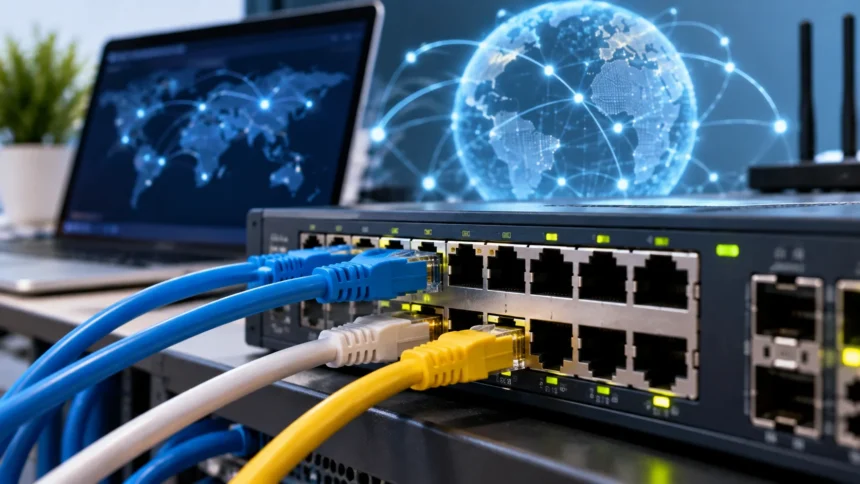
Physical ports are hardware connectors and should not be confused with TCP or UDP ports. An Ethernet port is the physical RJ45-style interface into which a network cable may be connected, while a USB port accepts compatible USB devices. HDMI, DisplayPort, Thunderbolt, and audio connectors are also commonly called ports because they provide physical connection points. TCP port 443, by contrast, has no visible socket on the machine and cannot be touched or plugged into. It exists as part of logical network communication. Context usually makes the intended meaning obvious, but beginners often encounter confusion because networking uses the word “port” in both physical and logical ways.
A complete endpoint may therefore involve several layers working together. A server’s physical Ethernet interface connects it to the network, an IP address allows packets to reach that interface logically, TCP or UDP provides transport behavior, and the port number identifies the intended application. The application then processes a higher-level protocol such as HTTP, DNS, SSH, or SMTP. Each layer performs a different role even though users experience the result as one seamless network connection. Learning these distinctions makes concepts such as firewall rules, port forwarding, server configuration, and troubleshooting much easier to understand. Networking becomes clearer when each layer is viewed as solving a separate communication problem.
Network Port Security, Firewalls, and Troubleshooting
An open port generally means a service is listening and reachable through that port from the location where it is being tested. Open ports are not automatically security vulnerabilities because legitimate network services must be reachable somewhere in order to function. A public web server, for example, normally needs users to reach its HTTPS service on port 443. The risk depends on what application is listening, whether it is patched, how authentication is handled, and which networks can access it. Unnecessary services should usually be disabled or restricted because every exposed service increases the system’s potential attack surface. Security therefore focuses on minimizing unnecessary exposure rather than simply closing every port.
Firewalls control network traffic by applying rules based on information such as source address, destination address, protocol, and port number. A server firewall might permit inbound TCP 443 from the internet while allowing SSH on port 22 only from a trusted administrative network. Traffic that does not match permitted rules can be rejected or silently dropped depending on the configuration. Network firewalls can perform similar filtering between subnets, offices, cloud environments, and the public internet. Good firewall policies follow the principle of least privilege by allowing only the communication required for legitimate operations. Documenting why each port is open makes future security reviews considerably easier.
Port forwarding is commonly used when a device behind a NAT router needs to receive connections initiated from another network. The router maps traffic arriving on a particular external port toward an internal IP address and port. For example, an administrator might configure an external connection to reach a service running on an internal server. Port forwarding should be used carefully because it can expose services that were previously reachable only from the local network. Strong authentication, encrypted protocols, updates, and access restrictions become especially important once a service is internet-accessible. In many cases, VPNs, reverse proxies, or zero-trust access approaches may provide safer alternatives to exposing administrative services directly.
When troubleshooting a network service, first confirm whether the application is actually running and listening on the expected port. A firewall cannot make a stopped web server respond, and changing a router rule will not fix an application bound to the wrong interface. Administrators can use operating-system utilities such as ss, netstat, or platform-specific networking tools to inspect listening sockets and active connections. They can then test reachability from another device using tools such as curl, nc, PowerShell networking commands, or application-specific clients. Testing locally and remotely helps distinguish an application problem from a firewall, routing, DNS, or NAT problem.
The terms open, closed, and filtered are commonly used when describing port-scan results. An open port generally indicates that a service appears to be accepting traffic, while a closed port usually means the host is reachable but no application is accepting connections on that port. A filtered result suggests that a firewall or another network control is preventing the scanner from determining the port’s state clearly. These descriptions can vary depending on protocol and scanning technique, so they should be interpreted carefully. Port scanning is useful for legitimate administration and security assessment on systems you are authorized to examine. Regularly reviewing exposed services helps organizations identify accidental openings and reduce unnecessary attack surface.
Frequently Asked Questions About Network Ports
What is a port in networking?
A port is a logical numbered endpoint that helps an operating system direct TCP or UDP network traffic to the correct application or service. Port numbers range from 0 through 65535.
What is the difference between an IP address and a port?
An IP address identifies the network destination or host, while a port identifies the application or service that should receive transport-layer traffic on that host. Together, they help network data reach the correct device and process.
What are ports 80 and 443 used for?
Port 80 is commonly associated with HTTP web traffic, while port 443 is commonly associated with secure HTTPS communication. Modern HTTP/3 also commonly uses UDP port 443 through QUIC.
What does it mean when a network port is open?
An open port generally means that a service is listening and can be reached from the location performing the test. Whether that is safe depends on the service, authentication, software security, firewall configuration, and who is allowed to connect.
How many network ports are there?
TCP and UDP each support port numbers from 0 to 65535, giving 65,536 possible numerical values within each protocol’s port space. They are commonly grouped into well-known, registered, and dynamic or private ranges.
