

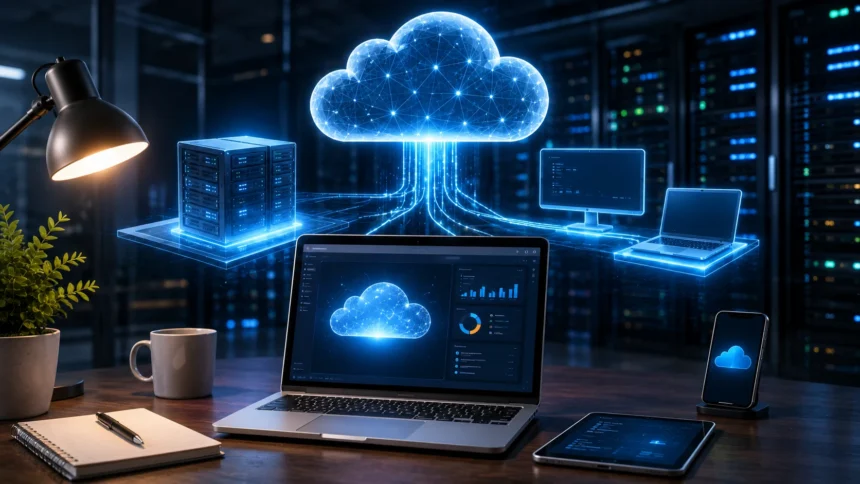
Cloud Machine: What It Is & Why You’ll Need One
A cloud machine is essentially a computer that runs in a remote data center instead of sitting physically on your desk. You connect to it over the internet and use its processing power, memory, storage, operating system, and applications much like you would use a traditional physical computer or server.
The term “cloud machine” is informal rather than one strict technical standard. In cloud computing, the same concept is more commonly called a cloud virtual machine, virtual machine, VM, cloud instance, or compute instance. Services such as Amazon EC2, Azure Virtual Machines, and Google Compute Engine are familiar examples of platforms that provide this type of computing.
What makes a cloud machine attractive is flexibility. Instead of purchasing a new physical server whenever you need more processing power, you can create a virtual computer with the CPU, RAM, storage, networking, and sometimes GPU resources your workload requires. When your needs change, those resources can often be resized, duplicated, or removed.
That does not mean everyone will eventually replace their laptop with a cloud machine. Local computers remain better for many everyday activities. Cloud machines become especially valuable when you need remote access, scalable computing, development environments, application hosting, temporary high-performance resources, or infrastructure that can be created without buying and maintaining physical hardware.
What Is a Cloud Machine?
A cloud machine is a virtualized computing environment hosted on physical infrastructure owned or operated by a cloud provider. From the user’s perspective, it behaves much like an independent computer with its own operating system, storage, memory, processors, networking, and software.
You might create a cloud machine running Ubuntu Linux with four virtual CPUs and 16 GB of RAM. Another user could create a Windows machine with considerably more memory and a GPU. Both machines may ultimately share large physical server infrastructure while remaining logically isolated from one another.
The underlying concept is called virtualization. Specialized software allows powerful physical servers to provide resources to multiple virtual machines while keeping those environments separated. Each VM can behave as though it has access to its own computer hardware.
This flexibility is one reason virtual machines became foundational to cloud computing. Businesses can create computing resources when they need them instead of purchasing physical servers, installing them in a data center, and waiting years before replacing or upgrading them.
Why Is It Called a Cloud Machine?
The word cloud refers to computing resources delivered over a network rather than hardware you directly manage in your own location. The machine exists physically somewhere, but the provider abstracts much of the underlying infrastructure from you.
You may never know exactly which physical server is currently executing your virtual machine. What matters is that the provider supplies the computing resources promised by the service while managing the hardware underneath them.
The word machine simply reflects how the environment behaves. You can install an operating system, create users, store files, run applications, configure networking, install updates, and perform many of the tasks normally associated with a traditional server or computer.
A cloud machine is therefore not a mysterious computer floating somewhere on the internet. It is a software-defined computer running on remote physical infrastructure that you access and manage through cloud tools or network connections.
How Does a Cloud Machine Work?
Large cloud providers operate data centers containing enormous numbers of physical servers. These servers provide processors, memory, storage, and networking resources that can be divided or allocated to different customer workloads.
A virtualization layer creates isolated virtual machines on top of that infrastructure. When you request a new machine, the cloud platform allocates appropriate resources and starts the operating system image you selected.
You can then access the machine remotely. Linux servers are commonly managed through secure command-line connections such as SSH, while Windows cloud machines can be accessed through remote desktop technologies or other management tools.
The cloud provider manages physical hardware, power, cooling, much of the networking infrastructure, and hardware failures. You normally remain responsible for the operating system, applications, user accounts, configuration, security settings, updates, and data running inside the VM.
What Is Virtualization?
Virtualization is the technology that allows one physical computer to provide several separate virtual computing environments. Each virtual machine can run its own operating system and applications while sharing the underlying hardware.
A software layer called a hypervisor helps manage the relationship between virtual machines and physical hardware. It allocates resources such as CPU time and memory while maintaining separation between different VM environments.
This allows a powerful server with large amounts of processing capacity and memory to run multiple smaller machines efficiently. Instead of one operating system consuming the entire physical server, resources can be distributed according to different workload needs.
Virtualization existed before modern public cloud platforms, but cloud computing made it much easier to request these resources on demand. What once required purchasing servers and configuring virtualization infrastructure can now often be created through a dashboard, command-line interface, or API.
Cloud Machine vs Physical Computer: What’s the Difference?
A physical computer has hardware that belongs directly to you or your organization. Its processor, memory, storage drives, graphics hardware, motherboard, and networking equipment exist inside a machine you can physically access.
A cloud machine provides similar computing capabilities through virtual hardware running remotely. You manage the operating system and applications without owning the server that physically executes them.
Physical machines provide direct local access and can be economical for workloads that run continuously for many years. They also avoid dependence on an internet connection for normal use and may provide predictable hardware performance.
Cloud machines provide flexibility instead. You can create one temporarily, resize it, duplicate it, move workloads between configurations, or remove it when no longer needed. That flexibility can be more valuable than hardware ownership for many development, hosting, and business workloads.
Cloud Machine vs Virtual Machine: Are They the Same?
In most practical conversations, a cloud machine is a virtual machine hosted by a cloud provider. The terms are therefore closely related, although not every virtual machine runs in the public cloud.
You can create virtual machines locally on your laptop, workstation, or company server using virtualization software. Those VMs use hardware you control and may never communicate with a public cloud provider.
A cloud VM is hosted on remote cloud infrastructure and normally includes cloud-specific capabilities such as managed networking, snapshots, flexible storage, monitoring, identity controls, automated deployment, and integration with other managed services.
The easiest distinction is location and management. A VM describes the virtualized computer itself, while a cloud VM emphasizes that the virtual machine is provided as an on-demand cloud resource.
What Is a Cloud Instance?
A cloud instance is another common term for a virtual machine running in a cloud environment. Different providers use slightly different terminology, but the underlying concept is very similar.
When you create an instance, you normally select the amount of virtual CPU, memory, storage, operating system, region, and networking configuration the workload requires. Some platforms provide predefined instance sizes while also offering more customizable combinations.
Different instance families may be optimized for different tasks. General-purpose machines balance CPU and memory, compute-optimized instances provide stronger processing power, and memory-optimized instances provide additional RAM for applications that need it.
GPU instances provide specialized graphics or parallel-computing hardware for workloads such as machine learning, rendering, simulation, and scientific computing. Choosing the correct cloud instance type can significantly affect both performance and cost.
What Resources Does a Cloud Machine Have?
The first major resource is virtual CPU, commonly abbreviated vCPU. It represents processing capacity allocated to your virtual machine and determines how much computation the system can perform simultaneously.
Memory, or RAM, is equally important. Applications such as databases, analytics software, development environments, and large business systems can require substantial memory to operate efficiently.
Storage can be attached to the VM through virtual disks backed by cloud storage infrastructure. Different disk types may prioritize cost, throughput, latency, durability, or high-performance workloads.
Networking completes the basic machine. Cloud VMs can receive private network addresses, public IP addresses when required, firewall rules, load-balancer connections, and access to other cloud services within a virtual private cloud network.
Can a Cloud Machine Run Windows or Linux?
Yes. Most major cloud platforms provide Linux and Windows virtual machines, allowing users to choose an operating system that matches their applications and administration skills.
Linux distributions such as Ubuntu, Debian, Red Hat-based systems, and other enterprise Linux environments are extremely common for web servers, databases, development environments, containers, and backend applications.
Windows Server is widely used for Microsoft-based enterprise applications, .NET workloads, Active Directory-related environments, and applications that depend on Windows-specific software.
Some cloud desktop services also provide complete remote Windows workspaces designed for employees rather than server administrators. The best operating system depends on what software you need to run, licensing requirements, security practices, and existing technical expertise.
1. Use a Cloud Machine to Host a Website
Website hosting is one of the most familiar cloud machine use cases. A virtual machine can run a web server, application framework, database connection, caching software, and other components required to make a website available online.
For example, a WordPress website could run on a Linux VM containing a web server, PHP runtime, and database. Developers gain substantial control over configuration compared with highly managed website-building platforms.
A cloud machine can also host custom web applications built with technologies such as Node.js, Python, PHP, Java, .NET, Ruby, or other application frameworks. You control which packages and runtime versions are installed.
The trade-off is responsibility. Unlike managed hosting, a self-managed cloud VM may require you to configure security, updates, backups, monitoring, database software, web servers, and scaling. Greater control usually means greater operational responsibility.
2. Create Development and Testing Environments
Developers frequently use cloud virtual machines for development and testing because a new environment can be created without purchasing another physical computer.
Imagine a team needs to test software on Ubuntu with 32 GB of RAM. Instead of buying dedicated hardware, developers can launch a VM with the required configuration, install the application, perform their tests, and remove the machine afterward.
Cloud machines also help teams reproduce consistent environments. Rather than every developer manually configuring a slightly different computer, infrastructure templates or machine images can create systems with repeatable configurations.
Temporary environments can be particularly economical when they are used only during working hours or specific projects. However, teams need proper automation and cost controls so forgotten test machines do not remain running indefinitely and accumulate unnecessary charges.
3. Give Remote Workers a Cloud Desktop
A cloud machine can function as a remote desktop or virtual workstation that employees access from laptops, tablets, thin clients, or other devices.
Instead of storing sensitive company applications and files entirely on employee laptops, businesses can keep much of the working environment inside controlled cloud infrastructure. Users connect remotely and interact with applications through the network.
This can make onboarding easier because IT teams can provision standardized work environments without physically configuring powerful computers for every employee. Cloud desktops are also useful for contractors, temporary staff, and geographically distributed teams.
Performance depends heavily on network quality and the application being used. Office tools and development environments may work well remotely, while highly latency-sensitive creative or interactive workloads can require specialized remote-display infrastructure and strong connectivity.
4. Run Powerful Software Without Buying Powerful Hardware
Cloud computing can provide temporary access to hardware much more powerful than an ordinary laptop. You can create a machine with dozens of CPU cores, hundreds of gigabytes of memory, or specialized GPUs when a project requires them.
This is useful for 3D rendering, engineering simulations, scientific calculations, data analysis, video processing, machine learning, and other compute-intensive workloads.
Instead of purchasing an expensive workstation that may sit idle most of the year, you can rent substantial computing resources for the hours or days needed to complete the task.
The economics depend on usage. Frequently running an expensive cloud GPU instance around the clock can become considerably more costly than owning suitable hardware over several years. Cloud resources are particularly attractive when high performance is needed temporarily or unpredictably.
5. Run AI and Machine Learning Workloads
Machine learning often requires considerably more computing power than ordinary office workloads. Cloud platforms provide machines equipped with GPUs and other specialized accelerators designed for parallel computation.
A data science team can create a high-performance machine for model training, complete the experiment, save its results, and shut down expensive compute resources afterward.
Cloud machines can also host AI inference services that receive requests from applications and run trained models. The appropriate architecture depends on model size, expected traffic, latency requirements, and cost.
Not every AI project needs a powerful GPU. Smaller models, preprocessing tasks, experimentation, and development can often run on ordinary CPU-based machines. The value of cloud computing lies in selecting resources that match each stage of the workload.
6. Host Business Applications and Databases
Companies can use cloud machines to host internal business applications, legacy software, APIs, enterprise services, and databases that previously ran on physical servers inside offices or company data centers.
Moving these systems into the cloud can reduce the need to purchase, power, cool, and physically maintain server hardware. IT teams can also provision replacement or additional resources more quickly.
Virtual networks can connect multiple machines privately, allowing an application server to communicate with database servers and other internal services without exposing everything directly to the public internet.
However, cloud providers also offer managed databases and application services that may reduce administration further than running everything yourself on VMs. A cloud machine is valuable when you need operating-system-level control, but managed services may be easier when you do not.
7. Create Backup or Disaster Recovery Infrastructure
Cloud machines can form part of a disaster recovery strategy. Businesses may keep machine images, snapshots, replicated data, or standby environments that can be activated when primary infrastructure experiences a major problem.
Instead of maintaining an entire secondary physical data center permanently, organizations can keep selected cloud resources ready to create or scale when recovery becomes necessary.
Cloud storage also makes it possible to keep backups geographically separate from the original systems. This reduces the risk that one physical disaster affects both production data and every available recovery copy.
Backups still need independent planning. Simply moving a server into the cloud does not automatically protect its information. Reliable recovery requires appropriate backup schedules, retention policies, access controls, testing, and protection against accidental deletion or ransomware.
Why Businesses Use Cloud Machines
The first major reason is speed of provisioning. Purchasing physical servers can involve ordering hardware, waiting for delivery, installing equipment, configuring networking, and preparing operating systems. A cloud VM can often be created much more quickly.
Flexibility is another advantage. Companies can begin with smaller resources and increase CPU, memory, or the number of machines as applications grow rather than purchasing hardware based entirely on uncertain future demand.
Cloud infrastructure also supports distributed teams and global applications. Machines can be created in different regions to place services closer to users or satisfy architectural and regulatory requirements.
Perhaps most importantly, cloud machines turn computing infrastructure into something more programmable. Teams can create, configure, resize, and destroy environments through software and APIs instead of treating servers entirely as physical equipment.
Why You Might Need a Cloud Machine
You might need a cloud machine if your current computer lacks enough processing power for a temporary task. Renting additional CPU, RAM, or GPU capacity can be faster than purchasing a new workstation.
You may also need one when building a website, API, application, game server, development environment, or other service that must remain accessible even when your personal computer is turned off.
Remote access creates another reason. A cloud machine can provide a consistent computing environment that you reach from different locations or devices without carrying the physical machine everywhere.
However, you do not automatically need a cloud machine simply because cloud computing is popular. Email, browsing, ordinary office work, casual gaming, and many everyday tasks remain easier and more economical on local devices.
Do Cloud Machines Run 24/7?
A cloud machine can run continuously, but whether it should depends on the workload. Production web servers and business applications may need to remain available around the clock.
Development or testing machines often do not. If developers use a VM only during working hours, shutting it down outside those hours can reduce compute charges depending on how the provider bills the resource.
Stopping compute does not necessarily eliminate every charge. Attached storage, reserved IP addresses under certain conditions, snapshots, backups, licenses, and other services can continue generating costs even when the virtual machine itself is stopped.
Cost management therefore requires understanding the entire resource configuration rather than assuming that pressing “Stop” always reduces the bill to zero.
How Much Does a Cloud Machine Cost?
Cloud VM pricing depends on CPU, RAM, GPU, storage, operating system, region, network transfer, runtime, and pricing model. A tiny Linux server can cost relatively little, while a large GPU machine can become extremely expensive.
Most providers offer on-demand pricing that charges according to how long the resource runs. Longer-term commitments or reserved capacity can reduce unit costs when workloads are predictable.
Discounted interruptible or spot-style machines can provide substantial savings for workloads capable of handling unexpected shutdowns. Batch processing, experimentation, rendering, and some analytics workloads may be good candidates.
Always consider secondary costs as well. Storage, backups, public IP usage, software licensing, monitoring, support plans, and data transfer can significantly increase the final bill beyond the advertised VM compute price.
Is a Cloud Machine Cheaper Than Buying a Computer?
Sometimes—but not always. A cloud machine can be cost-effective when you need powerful hardware for only a limited number of hours, have unpredictable demand, or want to avoid a large upfront hardware purchase.
Imagine needing a high-end GPU for a two-day rendering project once every few months. Renting one temporarily can make more sense than purchasing an expensive workstation that remains mostly unused.
The calculation changes when a machine runs at high utilization continuously for years. In that situation, buying physical hardware can sometimes provide a lower total cost, particularly when you already have staff and facilities to manage it.
Cloud pricing purchases more than raw CPU and memory. You are paying for flexibility, rapid provisioning, managed physical infrastructure, global availability options, APIs, networking integration, and the ability to stop using the resources when requirements change.
What Is a Cloud Machine Image?
A machine image is a template containing information used to create a virtual machine. It may include an operating system and, depending on the platform or image type, preinstalled software and configuration.
Cloud providers offer standard images for operating systems such as Linux and Windows. You can select one when creating a VM instead of manually installing the operating system from scratch.
Organizations can also create custom images containing their preferred software and configuration. A development team might maintain an image containing its programming tools, security configuration, monitoring agent, and company-standard settings.
Images make repeated deployment much faster and more consistent. Instead of configuring twenty machines manually, you can create them from the same approved template and then apply any environment-specific settings automatically.
What Is a Snapshot?
A snapshot captures the state or contents of storage associated with a cloud resource at a particular point in time. Snapshots are commonly used for backup, recovery, cloning, and migration workflows.
Before performing a risky software upgrade, for example, an administrator might create a snapshot of the machine’s disk. If something fails, that snapshot may help restore an earlier state.
Snapshots are not automatically complete disaster-recovery systems. Their durability, regional availability, consistency, retention, and relationship with the original storage depend on the provider and configuration.
They can also generate ongoing storage charges. Organizations should apply retention policies so thousands of forgotten snapshots do not remain indefinitely and quietly increase cloud costs.
What Is a Cloud Region?
Cloud providers operate infrastructure across multiple geographic areas called regions. A region generally contains one or more separate facilities or availability zones designed to host computing resources.
When creating a cloud machine, you normally choose which region should host it. Location affects latency, service availability, pricing, legal requirements, and how close your application is to users or other systems.
A website serving primarily European customers may benefit from infrastructure located closer to Europe, while another application serving users in Asia might choose a regional location there.
Region selection also matters because moving large amounts of data between regions can increase complexity and cost. Plan where applications, storage, databases, and users are located before placing machines randomly across the cloud.
What Is an Availability Zone?
An availability zone is an isolated infrastructure location within a broader cloud region. Providers design zones so applications can distribute important resources across separate facilities instead of relying on one location.
Running every critical component on one VM creates a single point of failure. If that machine or its underlying infrastructure becomes unavailable, the application may go offline.
Higher-availability architectures can distribute multiple application instances across different zones and place a load balancer in front of them. If one instance fails, traffic can continue reaching healthy machines.
Using several machines increases complexity and cost, so not every small website needs an enterprise-level multi-zone architecture. Availability requirements should reflect the financial and operational impact of downtime.
How Do You Connect to a Cloud Machine?
Linux cloud machines are commonly accessed through SSH, which provides an encrypted command-line connection. Administrators can use this interface to install software, modify configuration, examine logs, and manage services.
Windows environments commonly support remote desktop technologies that provide a graphical interface similar to sitting in front of a Windows computer.
Cloud providers may also offer browser-based management consoles, command-line utilities, secure session-management services, and APIs that reduce the need to expose remote-management ports directly to the internet.
Whatever method you use, secure access carefully. Administrative interfaces are valuable targets, so strong authentication, restricted network access, updated software, and appropriate identity controls are essential.
Can You Use a Cloud Machine Like a Normal PC?
Technically, many cloud machines can run familiar desktop operating systems and applications. You can connect remotely and interact with the machine much like a traditional computer.
Whether the experience feels normal depends largely on network latency, display streaming, graphics requirements, and connection quality. Typing documents or writing code may feel comfortable, while high-speed competitive gaming can reveal noticeable input delay.
Cloud workstations equipped with GPUs can support demanding applications such as CAD, 3D modeling, engineering software, and creative tools when remote-display technology and network conditions are suitable.
For ordinary personal computing, buying a laptop or desktop is often simpler. Cloud desktops become more compelling when centralized management, temporary high performance, secure remote access, or device-independent working matters.
Can You Play Games on a Cloud Machine?
A GPU-enabled cloud machine can technically run many games, but traditional cloud VM services are not always optimized for consumer gaming.
The biggest challenge is latency. Your keyboard, mouse, or controller input must travel to the remote computer, the game must generate the frame, and the resulting video needs to stream back to your screen.
Specialized cloud gaming services optimize this entire pipeline far more aggressively than ordinary business VMs. They may use gaming-focused hardware, video encoding, regional infrastructure, and purpose-built streaming software.
Creating your own gaming VM can make sense for enthusiasts or specialized scenarios, but costs can accumulate quickly. A dedicated gaming computer or consumer cloud gaming subscription may be simpler for regular gaming.
Can a Cloud Machine Have a GPU?
Yes. Major cloud providers offer machines with GPU acceleration for workloads requiring high levels of parallel processing.
GPUs are commonly used for machine-learning training and inference, scientific simulations, video encoding, 3D rendering, visualization, engineering workloads, and certain remote workstation applications.
Cloud GPUs are attractive because modern high-end accelerators can be extremely expensive to purchase. Teams can rent specific resources only when workloads require them.
Availability and pricing can vary substantially by GPU model and region. High-demand accelerators may also have quota restrictions, so organizations planning large AI workloads often need capacity planning rather than assuming unlimited GPUs will always be immediately available.
How Secure Is a Cloud Machine?
Cloud machines can be highly secure, but cloud security is a shared responsibility. The provider protects physical infrastructure and underlying cloud services, while customers remain responsible for important aspects of their operating systems and applications.
A newly created VM still needs secure authentication, software updates, firewall rules, restricted permissions, logging, backups, and protection of sensitive credentials.
Leaving remote management ports open to the entire internet with weak passwords is risky regardless of how secure the cloud provider’s data center may be. Many attacks target configuration mistakes rather than breaking into the provider’s physical infrastructure.
Apply least-privilege access, use strong authentication, patch operating systems promptly, encrypt sensitive data appropriately, protect secrets, monitor suspicious activity, and expose only network services that genuinely need to be public.
What Is the Shared Responsibility Model?
The shared responsibility model explains how cloud security duties are divided between a provider and its customers. The exact boundary differs by service type.
With a virtual machine, the provider typically manages physical facilities, server hardware, networking foundations, and virtualization infrastructure. You manage much of what happens inside the virtual machine.
That can include the operating system, security updates, installed applications, firewall configuration, user accounts, data, encryption choices, and permissions.
More managed cloud services shift additional responsibilities to the provider. This is one reason a managed database or serverless platform may require less operating-system administration than building the same service manually on a VM.
Cloud Machine vs Container: What’s the Difference?
A virtual machine includes a complete operating system environment built on virtualized hardware. Containers isolate applications differently and usually share more of the underlying operating system.
This makes containers generally lighter and faster to start than full virtual machines. Many containers can run efficiently on one VM or cluster.
Cloud machines provide stronger OS-level independence. You can run different operating systems, install low-level components, and exercise greater control over the environment.
Containers are particularly useful for portable application deployment, microservices, and cloud-native systems, while VMs remain valuable for legacy software, custom operating-system requirements, strong isolation boundaries, and workloads needing complete machine control.
Cloud Machine vs Serverless Computing
With a cloud VM, you manage a persistent machine environment. Even though the provider handles physical hardware, you still think in terms of operating systems, CPU, memory, disks, and running services.
Serverless computing removes more infrastructure management. Developers deploy functions or services that execute according to requests or events without managing a continuously visible virtual machine.
Serverless can be ideal for short event-driven workloads, APIs, automation, and applications that scale unpredictably. VMs provide more control when you need custom software, persistent services, specialized configurations, or operating-system-level access.
Many real applications use both. A company may run a legacy business application on cloud VMs while using serverless functions for file processing, scheduled jobs, notifications, and integrations.
Cloud Machine vs Dedicated Server
A dedicated server provides physical hardware reserved for one customer or workload. A cloud virtual machine normally uses virtualized resources on shared underlying infrastructure, although cloud providers also offer dedicated-host and bare-metal options.
Dedicated servers can provide predictable hardware access and may be economical for large workloads running continuously for long periods.
Cloud VMs offer faster provisioning and greater flexibility. Adding another machine can often happen through software rather than ordering and physically installing additional hardware.
Neither approach is universally better. Stable workloads with specialized hardware or predictable utilization may favor dedicated servers, while changing or experimental workloads often benefit from cloud flexibility.
What Are the Biggest Benefits of a Cloud Machine?
The first benefit is on-demand availability. You can create computing resources when a project begins instead of purchasing hardware months in advance.
Scalability is another advantage. Applications can use larger machines or additional instances as demand increases, then reduce capacity when demand falls.
Cloud machines also support experimentation. Developers can test different operating systems, application versions, configurations, and hardware sizes without permanently buying equipment for each experiment.
Finally, cloud infrastructure provides access to a much larger ecosystem. VMs can connect with managed databases, object storage, CDNs, load balancers, AI platforms, monitoring systems, queues, analytics services, and numerous other cloud tools.
What Are the Disadvantages of Cloud Machines?
Cost can become a disadvantage when poorly managed resources remain running unnecessarily. Cloud bills can grow quickly when teams forget machines, use oversized instances, or transfer large quantities of data.
Cloud VMs also require administrative work. Operating-system updates, application security, monitoring, backups, and configuration remain your responsibility unless you use more managed services.
Vendor dependence can increase when applications become deeply integrated with one provider’s networking, identity, storage, or management systems. Migrating large environments later may require significant engineering effort.
Finally, cloud access depends on networking. A remote desktop or development environment becomes much less useful when internet connectivity is unreliable, particularly for applications requiring constant low-latency interaction.
How to Choose the Right Cloud Machine Size
Start with the application’s actual resource needs rather than choosing the largest machine you can afford. Determine expected CPU, memory, storage, network, and GPU requirements.
A small web server might need relatively few resources, while a database holding large working datasets may require much more memory. Machine-learning tasks could be constrained primarily by GPU availability rather than ordinary CPU capacity.
Monitor performance after deployment. If CPU usage remains extremely low and most memory sits unused, you may be paying for resources the application never needs.
Likewise, a machine constantly operating near its resource limits may be too small. Cloud rightsizing means selecting enough capacity for reliable performance without continuously paying for unnecessary hardware.
How to Reduce Cloud Machine Costs
Turn off temporary development and testing machines when nobody needs them. Automated schedules can prevent resources from running all night and throughout weekends simply because someone forgot to stop them.
Use long-term pricing commitments for stable workloads after you understand their requirements. Providers often offer discounted pricing when customers commit to predictable levels of usage.
Consider interruptible or spot-style instances for fault-tolerant workloads that can tolerate unexpected termination. Batch processing and certain data-analysis jobs can sometimes achieve substantial savings this way.
Most importantly, monitor total cost rather than VM price alone. Cloud cost optimization should include storage, snapshots, backups, network transfer, public addresses, software licenses, monitoring, and every connected service.
Popular Cloud Machine Providers
Amazon Web Services provides cloud virtual machines through Amazon EC2. Users can select from many instance families designed for general computing, memory-heavy applications, storage workloads, accelerated computing, and other requirements.
Microsoft Azure provides Azure Virtual Machines with Linux and Windows options, multiple machine sizes, virtual networking, managed disks, availability features, and integration with the broader Azure ecosystem.
Google Cloud provides virtual machines through Compute Engine, offering customizable computing configurations, multiple machine families, GPU options, persistent storage, and integration with Google Cloud services.
Numerous additional providers offer VPS and cloud computing platforms. Large providers deliver extensive ecosystems, while smaller providers may offer simpler interfaces or attractive pricing for less complex workloads.
How Do You Create a Cloud Machine?
The exact steps differ between providers, but the process usually begins by selecting a region and machine image containing the operating system you want.
Next, choose an instance size containing the required CPU and memory. You may also select GPU hardware, disk capacity, network interfaces, and availability settings.
Configure security before launching. Decide which network ports need access, what authentication method will be used, and whether the machine requires a public IP address at all.
After the VM starts, connect remotely, update the operating system, install required software, configure monitoring and backups, and secure the environment before exposing production applications to users.
Do You Really Need a Cloud Machine?
A cloud machine makes sense when you need remote, scalable, configurable computing resources without purchasing and managing physical server hardware.
It is particularly useful for hosting applications, creating development environments, running temporary high-performance workloads, providing remote desktops, testing software, processing data, and supporting infrastructure that must remain available independently of your personal computer.
You probably do not need one for basic browsing, watching videos, ordinary document editing, or other daily computing tasks that already work comfortably on your laptop or desktop.
The decision should come from the workload rather than the technology trend. Ask whether remote access, temporary resources, flexibility, scalability, or cloud integration solves a real problem. If the answer is yes, a cloud machine may be exactly the right tool.
The Bottom Line: What Is a Cloud Machine?
So, what is a cloud machine? It is usually a virtual computer running on remote cloud infrastructure that provides configurable CPU, memory, storage, networking, operating systems, and sometimes GPUs without requiring you to own the underlying physical server.
You can use cloud machines to host websites, develop software, run business applications, provide remote desktops, perform AI workloads, process data, create testing environments, and handle computing tasks too demanding for your local computer.
The biggest advantages are flexibility, rapid provisioning, remote access, scalability, and avoiding the need to purchase physical infrastructure for every new requirement. The main disadvantages include ongoing cost, administration, security responsibilities, and dependence on network connectivity.
You do not need to replace every physical computer with a cloud machine. The real value appears when computing needs change faster than physical hardware can conveniently follow. When you need a computer that can be created, resized, accessed remotely, and removed on demand, a cloud machine becomes one of the most useful building blocks in modern cloud computing.
Frequently Asked Questions About Cloud Machines
What is a cloud machine in simple terms?
A cloud machine is a virtual computer running on remote servers in a cloud provider’s data center. You access it over a network instead of owning the physical computer it runs on.
Is a cloud machine the same as a virtual machine?
Usually, a cloud machine refers to a virtual machine hosted by a cloud provider. Virtual machines can also run locally, so the cloud part specifically describes where the VM infrastructure is hosted.
Can I use a cloud machine as my normal computer?
Yes, some cloud VMs and virtual desktops can function like remote computers, including Windows environments. However, internet latency, ongoing costs, and application requirements can make a local PC more practical for everyday use.
Are cloud machines expensive?
Costs range from inexpensive small VMs to very expensive GPU and high-memory machines. Pricing depends on resources, runtime, storage, network transfer, region, operating system, and additional services.
Why would I need a cloud machine?
You may need one for website hosting, software development, remote work, high-performance computing, AI workloads, testing, business applications, or any situation where flexible remote computing is more practical than buying physical hardware.
