

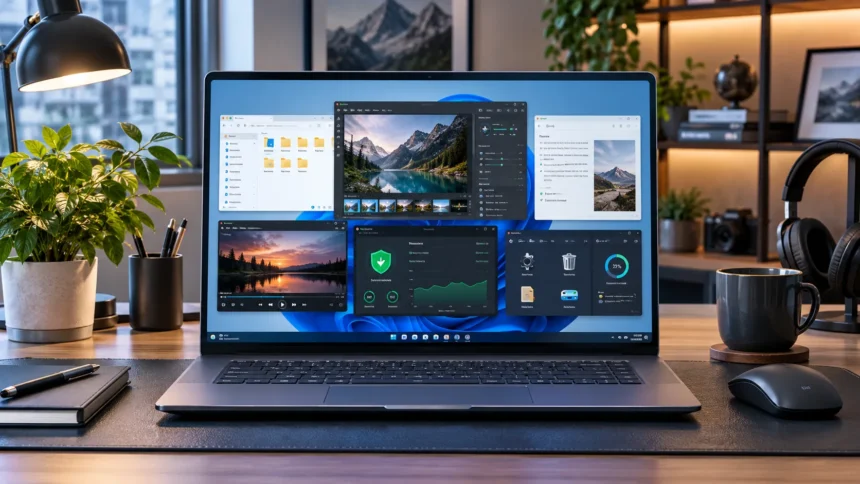
Finding good free software for Windows can save money while making your computer faster, easier to use, and more productive. Many excellent applications now cover everyday tasks such as office work, file compression, media playback, image editing, password management, screen recording, and file searching without requiring an expensive subscription.
The challenge is separating genuinely useful free Windows software from programs filled with advertisements, unnecessary extras, or limited trial features. The best free software in 2026 should solve a real problem, come from a trustworthy developer, and remain practical for everyday use. The following tools stand out because they provide strong functionality without forcing most users to pay.
Microsoft PowerToys Makes Windows More Powerful
Microsoft PowerToys is one of the best free utilities for Windows users who want more control over how the operating system works. It includes a collection of tools designed to improve productivity, window management, file handling, keyboard shortcuts, and other everyday tasks. Because Microsoft develops the project specifically for Windows, many features feel like natural extensions of the operating system.
FancyZones is particularly helpful for people who work with several applications at once because it allows custom window layouts. Other utilities can keep windows always on top, rename multiple files, pick colors from anywhere on the screen, or quickly launch commands and applications. Instead of installing several small utilities separately, PowerToys provides many useful functions inside one package.
PowerToys is especially valuable for office workers, developers, designers, and anyone who spends many hours on a Windows PC. You do not need to enable every tool. Start with the features that solve specific frustrations in your workflow, then explore additional utilities gradually rather than changing your entire Windows setup at once.
7-Zip Is a Must-Have File Compression Tool
7-Zip remains one of the most useful free programs for managing compressed files on Windows. It can create and extract common archive formats while offering particularly strong support for its own 7z format. The application is lightweight, straightforward, and useful whenever you download compressed software, send large collections of files, or want to reduce storage space.
Windows includes built-in support for some archive tasks, but 7-Zip provides more flexibility for people who frequently work with compressed folders. It integrates with the Windows context menu, allowing you to extract or compress files without opening a complicated interface. Password-protected archives and different compression settings also make it suitable for more advanced uses.
The main advantage is simplicity. You install it once and rarely need to think about it until you encounter an archive that needs opening. Because file compression remains a common part of downloading, sharing, and backing up information, 7-Zip is an easy recommendation for almost every Windows computer in 2026.
LibreOffice Is the Best Free Office Suite for Many Users
LibreOffice is a powerful free alternative for users who need word processing, spreadsheets, presentations, and other office tools without paying for a subscription. Its Writer, Calc, and Impress applications cover many everyday tasks associated with documents, data tables, reports, school assignments, and presentation creation. It is especially useful for students, freelancers, and home users.
The suite can work with many commonly used document formats, making it practical when you regularly receive files created in other office applications. Its interface may feel different from Microsoft Office at first, but most basic functions are easy to learn. Users who mainly write documents, calculate data, or prepare slides may find that it provides everything they need.
LibreOffice is also valuable for people who prefer software that runs locally rather than requiring a constant internet connection. Files can remain on your computer, and you retain control over where they are stored. For users who need dependable productivity software without ongoing fees, LibreOffice remains one of the strongest free Windows choices.
VLC Media Player Handles Almost Every Media Need
VLC Media Player is a reliable choice for playing video and audio files on Windows. It supports a broad range of media formats, which means you are less likely to encounter a file that requires another player or additional codec package. This makes VLC particularly convenient for people who download videos, maintain offline media libraries, or work with varied file types.
The interface is relatively simple for basic playback, but VLC also includes more advanced controls for subtitles, playback speed, audio tracks, streaming, and media settings. You can use it as a straightforward player without touching those options, while experienced users can explore additional features when needed. That flexibility is one reason VLC has remained popular for so long.
VLC is most useful because it simply works with many files that can create compatibility problems elsewhere. It is free, lightweight enough for everyday use, and available on Windows alongside several other platforms. If you regularly watch downloaded videos or listen to local media files, it deserves a place on your PC.
Everything Makes Finding Windows Files Much Faster
Windows search can be useful, but people with large drives sometimes want a faster way to locate files and folders by name. Everything from Voidtools is designed specifically for that purpose. After indexing file names, it can display matching results almost instantly as you begin typing, making it incredibly useful for people with crowded computers.
The software has a clean interface and generally requires very little effort once it is configured. You can search for documents, folders, images, downloads, project files, or applications without manually navigating through several directory levels. People who frequently forget where they saved something may find that Everything saves time almost every day.
Everything is especially valuable for professionals who work with thousands of files across several drives. Instead of creating an overly complicated folder system just to retrieve information quickly, fast search provides another option. It does not replace good organization, but it makes navigating a busy Windows computer much less frustrating.
ShareX Is Excellent for Screenshots and Screen Capture
ShareX is a free screenshot and screen-capture tool designed for Windows users who need more flexibility than basic built-in capture features. It can take screenshots in different ways, record screen activity, create GIFs, and support customizable workflows. This makes it useful for tutorials, bug reports, documentation, marketing work, and everyday communication.
The software is especially popular with people who take many screenshots because repetitive actions can be automated. You can configure what happens after an image is captured, such as copying it, saving it, editing it, or applying another action. Beginners can ignore these advanced options, while power users can create highly efficient capture workflows.
ShareX may initially look more complicated than Windows Snipping Tool because it offers significantly more customization. However, you do not need to learn everything immediately. If your work involves explaining processes visually, collecting examples, documenting problems, or producing quick screen recordings, ShareX can become one of your most useful free utilities.
Bitwarden Is a Strong Free Password Manager
Bitwarden is a useful free password manager for people who want to stop reusing weak passwords across different websites and applications. It can store credentials securely and make unique passwords easier to maintain. Instead of memorizing dozens of login details, users only need to protect access to their password vault carefully.
The Windows application can work alongside browser extensions, making it easier to access saved credentials during everyday browsing. A password manager is especially useful for email, social media, shopping, financial, and work accounts because password reuse can make one data breach affect several services. Creating unique credentials greatly reduces that unnecessary risk.
Protect your Bitwarden account with a strong master password and suitable multi-factor authentication. Password managers improve security, but the vault itself becomes an important account that deserves careful protection. For people building better digital habits in 2026, a reputable password manager is one of the most practical free software additions available.
GIMP Is a Powerful Free Image Editor
GIMP is one of the best-known free image-editing programs for Windows and can handle tasks ranging from basic photo adjustments to more detailed graphic work. Users can crop images, work with layers, adjust colors, remove unwanted elements, create graphics, and use many advanced editing features without purchasing professional photo-editing software.
The interface requires some learning, particularly if you have never used a layer-based editor before. Simple tasks are relatively easy once you know where the main tools are, while advanced editing takes more practice. Tutorials and experimentation can help new users gradually move from basic resizing and cropping into more sophisticated image manipulation.
GIMP is especially useful for bloggers, students, photographers, content creators, and small businesses that occasionally need strong image-editing tools. It may not replace every premium creative application for professional workflows, but it offers remarkable capability for free. For many everyday design and photo tasks, paying for another editor may be unnecessary.
OBS Studio Is Ideal for Recording and Streaming
OBS Studio is a free application for screen recording and live streaming on Windows. It allows users to capture displays, applications, cameras, microphones, and other sources inside configurable scenes. This makes it suitable for tutorials, online teaching, gaming content, demonstrations, presentations, webinars, and many other forms of video production.
The software offers far more control than a simple one-button screen recorder. You can combine several sources, adjust audio levels, switch scenes, and configure recording settings based on your needs. That flexibility is valuable, although first-time users may need to spend a little time learning how scenes, sources, and output settings work.
OBS is particularly useful for creators who want professional flexibility without a monthly software subscription. Basic screen recordings can be set up relatively quickly, while more advanced users can build complex streaming layouts. If video creation or screen-based teaching is part of your work, OBS Studio is one of the strongest free Windows tools available.
SumatraPDF Is a Lightweight PDF Reader
SumatraPDF is an excellent option for Windows users who primarily want to open and read PDFs without a heavy application. Its minimal design focuses on speed and simplicity rather than filling the interface with tools most people rarely use. This makes it particularly appealing on laptops where you want documents to open quickly.
The software supports PDF viewing along with several other document formats, making it useful for reading ebooks and reference files as well. A portable version is also available, which can be useful when you prefer running software without a traditional installation. The overall experience remains intentionally lightweight compared with larger document-management suites.
SumatraPDF is not intended to replace advanced PDF editing software when you need extensive form design or document modification. Its strength is reading documents efficiently. Students, researchers, office workers, and anyone who frequently opens reference PDFs may appreciate how quickly it gets out of the way and lets them focus on the document.
Use Free Software to Build a Better Productivity Setup
The best free Windows software becomes even more valuable when different tools solve clearly separated parts of your workflow. PowerToys can improve Windows navigation, Everything can locate files, LibreOffice can handle documents, and ShareX can capture information. Building a small toolkit around real needs is better than installing dozens of programs simply because they are free.
Your productivity system may also extend beyond traditional desktop applications. If you regularly work with meetings, lectures, research, or project notes, exploring useful note-taking apps can help keep information organized alongside your Windows tools. The right combination should make finding, creating, and managing information easier rather than adding extra complexity.
Avoid installing multiple applications that perform exactly the same task unless you have a specific reason. Too much software can create duplicate features, background processes, update notifications, and clutter. Start with one reliable tool for each important need, then add another application only when your current setup cannot solve a genuine problem.
Download Free Windows Software Safely
Free software is valuable, but download sources matter. Fake installers and misleading advertisements can imitate popular programs and potentially include unwanted software or malware. Whenever possible, obtain applications from the developer’s official website, Microsoft Store listing, or another clearly trusted distribution method rather than random download portals.
Pay attention during installation instead of clicking through every screen automatically. Some free programs may offer optional components, browser changes, or additional software that you do not need. Reading installation prompts gives you more control over what enters your system and reduces the chance of accidentally accepting unwanted extras.
Keep installed applications updated because new versions frequently include bug fixes, compatibility improvements, and security patches. Remove programs you no longer use instead of leaving them installed indefinitely. A smaller collection of actively maintained applications is easier to manage and generally creates a cleaner, more dependable Windows environment.
Conclusion
The best free software for Windows in 2026 can cover almost every major everyday computing need. PowerToys improves Windows functionality, 7-Zip handles archives, LibreOffice provides office tools, VLC plays media, and Everything makes file searching faster. ShareX, Bitwarden, GIMP, OBS Studio, and SumatraPDF add valuable capabilities for screenshots, security, creativity, recording, and reading.
You do not need every application on this list. Choose software based on the tasks you perform regularly and the weaknesses in your current Windows setup. A student may prioritize LibreOffice and SumatraPDF, while a creator may get more value from GIMP, ShareX, and OBS Studio.
Most importantly, download programs from trusted sources and keep them updated. Free software should make your computer more useful without creating unnecessary security risks or clutter. A carefully selected group of reliable tools can turn a basic Windows installation into a capable work, study, creative, and productivity system without requiring expensive subscriptions.
FAQs
What is the best free software for Windows in 2026?
There is no single best program for every purpose. PowerToys, 7-Zip, VLC, LibreOffice, Bitwarden, ShareX, Everything, GIMP, OBS Studio, and SumatraPDF are useful choices across different categories.
Is free Windows software safe to install?
Yes, reputable free software can be safe when downloaded from official or trusted sources. Avoid unknown download portals, fake update messages, and installers that request unnecessary permissions or bundle suspicious additional programs.
What is the best free Microsoft Office alternative?
LibreOffice is one of the strongest free office suites for Windows. It includes applications for word processing, spreadsheets, presentations, and other common productivity tasks without requiring a recurring subscription.
What free software should every Windows PC have?
Useful basics include a file compression tool, media player, password manager, office suite, PDF reader, and reliable search utility. The exact selection should depend on how you use your computer.
Do free Windows programs have hidden costs?
Some free applications offer optional paid upgrades, but many open-source tools remain genuinely free. Always review pricing, feature limitations, advertisements, and privacy policies before relying on software for important work.
