

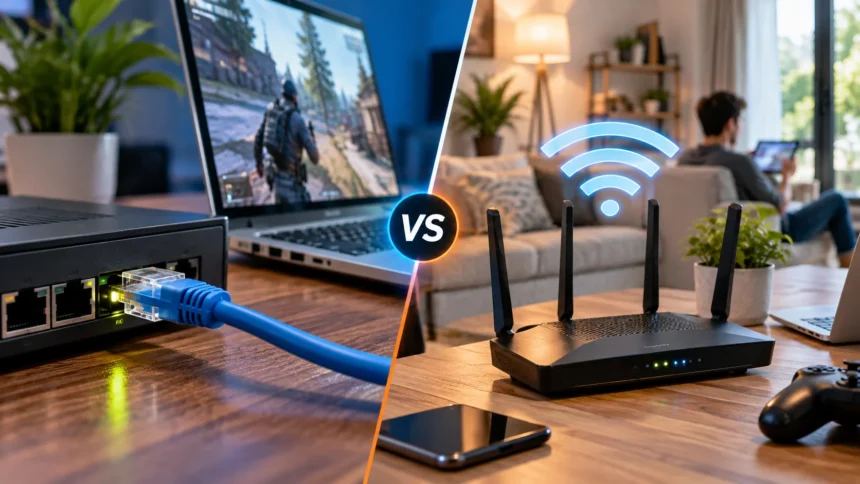
Choosing between Ethernet and Wi-Fi can affect everything from download speeds and gaming performance to video calls and everyday browsing. Both connection types can provide reliable internet access, but they work differently and perform better in different situations. Understanding their strengths and limitations makes it easier to choose the right option for your home, office, or gaming setup.
Ethernet uses a physical cable to connect your device directly to a router or network switch, while Wi-Fi transmits data wirelessly through radio signals. Ethernet usually prioritizes consistency and low latency, whereas Wi-Fi offers convenience and mobility. The better option depends on what you are doing, where your devices are located, and how much performance you actually need.
What Is an Ethernet Connection?
Ethernet is a wired networking technology that connects devices through physical network cables. A typical Ethernet setup uses a cable running from a router, modem-router combination, or network switch directly into a computer, television, gaming console, or other compatible device. This direct connection helps data travel through the network with minimal wireless interference.
Modern Ethernet networks commonly use Cat5e, Cat6, Cat6a, or newer cables depending on required speed and distance. Gigabit Ethernet is widely used in homes and offices, while faster standards can support several gigabits per second when compatible hardware is available. Actual internet performance still depends on your broadband plan, router, network adapter, and other equipment.
One major advantage of Ethernet is predictability. Because the connection does not rely on wireless radio signals traveling through walls or competing with nearby networks, performance is usually stable. Devices that remain in one place, such as desktop computers or gaming consoles, can benefit significantly from this consistency.
What Is a Wi-Fi Connection?
Wi-Fi allows devices to connect to a network without using physical cables. A wireless router or access point transmits radio signals that compatible devices such as smartphones, laptops, tablets, smart TVs, and home automation products can detect. This freedom makes Wi-Fi convenient for devices that move around frequently.
Wi-Fi typically operates across frequency bands such as 2.4 GHz, 5 GHz, and, with newer technologies, 6 GHz. Each band offers different characteristics related to speed, range, and interference. Lower frequencies generally travel farther, while higher frequencies can provide faster performance over shorter distances when conditions are suitable.
Modern Wi-Fi standards have improved significantly in recent years. Technologies such as Wi-Fi 6, Wi-Fi 6E, and Wi-Fi 7 support higher capacity, improved efficiency, and better performance when many devices are connected. However, wireless performance can still vary depending on distance, walls, interference, and network congestion.
Ethernet vs Wi-Fi Speed
Ethernet often provides more consistent speeds because devices communicate through a dedicated physical cable. A gigabit Ethernet connection can support network speeds of up to 1 Gbps under suitable conditions, while faster Ethernet hardware can handle even higher rates. The actual internet speed still cannot exceed what your service provider delivers.
Modern Wi-Fi can also achieve impressive theoretical speeds, especially with newer routers and compatible devices. However, advertised wireless speeds are rarely identical to the speed experienced in everyday conditions. Distance from the router, interference, walls, connected devices, and frequency bands can all reduce real-world Wi-Fi throughput.
For ordinary web browsing and streaming, both Ethernet and strong Wi-Fi connections may feel equally responsive. The difference becomes more noticeable during large file transfers, cloud backups, high-resolution streaming, or other bandwidth-heavy activities. Ethernet generally delivers more predictable performance, while Wi-Fi prioritizes convenience without requiring cables.
Ethernet vs Wi-Fi Latency
Latency measures how long data takes to travel between your device and its destination. Lower latency is particularly important for online gaming, video conferencing, remote desktop sessions, and other real-time activities. Ethernet usually provides lower and more consistent network latency because the connection is direct and less affected by wireless conditions.
Wi-Fi latency can fluctuate when the network becomes crowded or interference increases. Multiple devices competing for airtime, nearby wireless networks, signal obstruction, and weak reception can create delays or occasional spikes. Modern wireless technologies have improved latency management significantly, but environmental conditions still influence performance.
For casual browsing or watching streaming video, small latency differences are unlikely to matter. Competitive gaming and other real-time applications may benefit more noticeably from an Ethernet connection. If stable response time matters more than mobility, connecting the device directly through Ethernet is generally the more consistent approach.
Which Connection Is More Reliable?
Ethernet tends to be highly reliable because its signal remains inside a physical cable. Walls, furniture, microwaves, Bluetooth devices, and neighboring wireless networks generally do not interfere with the wired connection. As long as the cable and networking hardware are working properly, performance usually remains stable throughout normal use.
Wi-Fi reliability depends much more heavily on the surrounding environment. A laptop close to the router may have an excellent connection, while another device several rooms away may experience weaker signal strength or intermittent drops. Thick walls, concrete, metal objects, and distance can all reduce wireless stability.
Modern mesh networks and additional access points can improve Wi-Fi reliability throughout larger properties. Even so, wired networking remains useful for devices where consistent connectivity is particularly important. Many homes use both technologies together, connecting stationary equipment through Ethernet while leaving portable devices on Wi-Fi.
Ethernet vs Wi-Fi for Gaming
Online gaming requires relatively little bandwidth compared with large downloads, but it depends heavily on stable latency and minimal packet loss. Ethernet can provide a more consistent connection between the gaming device and router. This stability can help reduce network-related lag spikes caused by interference or weak wireless reception.
Wi-Fi can still perform well for gaming when the device is close to a modern router and the wireless environment is not congested. Using a strong 5 GHz or 6 GHz connection can provide excellent speeds and responsive performance. Problems are more likely when several walls or competing networks separate the gaming system from the router.
Competitive gamers often prefer Ethernet because reliability matters during fast-paced multiplayer sessions. Casual players may find modern Wi-Fi completely adequate, especially when running cables would be inconvenient. Before changing connections, remember that high latency can also come from game servers, your internet provider, or long geographic distances rather than Wi-Fi alone.
Ethernet vs Wi-Fi for Streaming
Streaming platforms rely primarily on sufficient and consistent bandwidth. Standard HD streaming requires relatively modest internet speeds, while 4K and higher-resolution content needs more capacity. Both Ethernet and Wi-Fi can handle streaming effectively when the connection remains stable and provides enough bandwidth for the selected video quality.
Ethernet can be especially useful for smart TVs, streaming boxes, and media computers that stay in a fixed location. A wired connection reduces the risk of buffering caused by wireless interference or weak signals. It can also free up additional wireless capacity for smartphones, laptops, and other mobile devices.
Wi-Fi remains more practical when running an Ethernet cable to the television is difficult. Modern routers can deliver more than enough bandwidth for several simultaneous streams under good conditions. If buffering occurs regularly, check wireless signal strength, network congestion, router placement, and your broadband connection before assuming streaming requires Ethernet.
Ethernet vs Wi-Fi for Work and Video Calls
Remote work often involves video meetings, cloud applications, file transfers, and collaborative tools that require stable internet access. Ethernet can provide additional reliability for desktop workstations and home offices where the computer remains in one location. A wired connection can reduce disruptions caused by weak wireless reception or sudden interference.
Wi-Fi offers greater flexibility for laptops and people who work from different rooms. A well-designed wireless network can comfortably support video conferencing, web applications, and everyday productivity tasks. Strong coverage is more important than simply having the latest router because a weak signal can create audio problems, frozen video, and disconnections.
If important meetings frequently suffer from connectivity problems, connecting through Ethernet can help determine whether Wi-Fi is contributing to the issue. However, poor broadband performance can affect both connection types. Testing internet speed and network stability on both Ethernet and Wi-Fi can help isolate the actual source of the problem.
Which Connection Is More Secure?
Ethernet is naturally more difficult to access remotely because someone generally needs a physical connection to the wired network. This characteristic can reduce certain types of unauthorized access, especially in controlled environments. However, Ethernet networks still require secure routers, updated firmware, strong administrator passwords, and properly configured network security.
Wi-Fi sends data through radio signals, which means wireless security is particularly important. Modern encryption standards such as WPA2 and WPA3 help protect network traffic when correctly configured. Using a strong Wi-Fi password, disabling outdated security methods, and keeping router firmware updated can significantly improve wireless network protection.
For most home users, properly secured Wi-Fi is suitable for everyday internet use. Ethernet may offer additional physical control in offices or environments where network access needs to be tightly managed. Security ultimately depends on the entire network configuration rather than the simple assumption that one connection type is automatically completely secure.
How Modern Wi-Fi Compares With Ethernet
Wireless technology continues to narrow the performance gap between Wi-Fi and wired networking. Wi-Fi 6 introduced efficiency improvements for crowded networks, while Wi-Fi 6E expanded those capabilities into the 6 GHz spectrum. These technologies can deliver excellent performance when routers, client devices, signal strength, and surrounding conditions are favorable.
Newer standards push wireless performance even further. For example, Wi-Fi 7 introduces features designed to increase throughput, reduce congestion, and use available wireless spectrum more efficiently. These advances make Wi-Fi increasingly capable for demanding applications while preserving the mobility that makes wireless networking attractive.
Even advanced Wi-Fi cannot eliminate every environmental limitation. Physical obstacles, distance, interference, and shared wireless airtime still influence performance, whereas Ethernet provides a dedicated wired path. Newer Wi-Fi therefore does not make Ethernet unnecessary; instead, it gives users more flexibility when choosing the best connection for different devices.
Ease of Setup and Convenience
Wi-Fi clearly has an advantage when mobility and simple device connectivity are priorities. Once the wireless network is configured, phones, tablets, laptops, smart appliances, and other devices can connect without running cables around the property. This makes wireless networking especially convenient in rented homes, apartments, and spaces where installing Ethernet is difficult.
Ethernet setup can require more planning because cables must physically reach each connected device. Running cables between floors or through finished walls may require additional equipment or professional installation. However, connecting a nearby desktop computer or gaming console can be as simple as plugging one cable into the device and router.
A practical network does not have to choose one technology exclusively. Many users rely on Wi-Fi for portable devices while using Ethernet for computers, televisions, consoles, network storage, and other stationary equipment. Combining both methods often provides an effective balance between wireless convenience and wired reliability.
Which Is Better for Multiple Devices?
A modern household may contain dozens of connected devices, including phones, laptops, cameras, televisions, speakers, consoles, and smart home products. Wi-Fi allows these devices to connect conveniently, but they must share wireless airtime. Heavy simultaneous activity can therefore create congestion, particularly on older routers or crowded frequency bands.
Connecting high-demand stationary devices through Ethernet can reduce some pressure on the wireless network. Desktops, gaming consoles, televisions, and network-attached storage can use wired connections while Wi-Fi capacity remains available for mobile equipment. This hybrid approach can improve overall network efficiency without requiring every device to use Ethernet.
Newer wireless standards are specifically designed to manage environments with many connected devices more efficiently. Nevertheless, router capacity, broadband speed, and usage patterns still matter. A home with several people streaming, gaming, downloading files, and joining video meetings simultaneously may benefit from combining modern Wi-Fi with strategic Ethernet connections.
Ethernet vs Wi-Fi: Which Should You Choose?
Choose Ethernet when stability, low latency, and predictable performance are your main priorities. It is especially suitable for gaming PCs, desktop workstations, smart TVs, servers, network storage, and other devices that rarely move. If a cable can be installed conveniently, Ethernet often provides a simple way to reduce wireless-related performance problems.
Choose Wi-Fi when mobility and convenience matter more than achieving the most consistent possible connection. Smartphones, tablets, laptops, smart home devices, and equipment located far from Ethernet ports are natural candidates for wireless networking. A modern router with good placement can provide excellent speeds throughout many homes.
For most people, the best solution is not Ethernet versus Wi-Fi but Ethernet alongside Wi-Fi. Use wired connections where consistency creates a meaningful advantage and wireless connectivity where flexibility matters more. This balanced approach allows your network to take advantage of the strongest characteristics of both technologies.
Conclusion
Ethernet and Wi-Fi are both capable networking technologies, but they are designed around different priorities. Ethernet generally provides more consistent speed, lower latency, and greater resistance to interference. Wi-Fi provides the mobility and convenience needed to connect modern phones, laptops, tablets, and smart devices without physical cables.
The right connection depends on the device and activity rather than one technology being universally superior. Gaming systems, workstations, televisions, and servers often benefit from Ethernet, while mobile devices are naturally better suited to Wi-Fi. Modern wireless standards have also made Wi-Fi much faster and more efficient than earlier generations.
A combination of Ethernet and Wi-Fi usually creates the most practical home or office network. Connect important stationary devices by cable when possible, then use strong wireless coverage for everything that needs mobility. By matching the connection type to each device, you can improve performance without sacrificing convenience.
FAQs
Is Ethernet faster than Wi-Fi?
Ethernet usually provides more consistent real-world speeds, but modern Wi-Fi can also be extremely fast. Actual performance depends on your router, devices, broadband plan, cable standard, signal strength, and network conditions.
Is Ethernet better than Wi-Fi for gaming?
Ethernet is often preferred for gaming because it generally delivers lower and more stable latency with less wireless interference. Strong modern Wi-Fi can still provide excellent gaming performance when conditions are favorable.
Does using Ethernet make Wi-Fi slower?
Connecting a device through Ethernet does not inherently make Wi-Fi slower. In some cases, moving high-demand devices to wired connections can reduce wireless congestion and leave more Wi-Fi capacity available for other devices.
Should I connect my smart TV with Ethernet or Wi-Fi?
Ethernet is useful when the television is close to a router or network port and you want maximum stability. Wi-Fi is usually sufficient when the wireless signal is strong and streaming remains smooth.
Can I use Ethernet and Wi-Fi at the same time?
Yes. Most home networks use Ethernet and Wi-Fi together. Wired connections can serve stationary, performance-sensitive devices, while Wi-Fi provides convenient connectivity for smartphones, tablets, laptops, and other portable equipment.
