

A laptop that won’t start is bad enough. Add the thought of boxing it up, driving across town, leaving it at a shop for several days and hoping for the best, and plenty of people just put the repair off. The same goes for the office printer that keeps going offline or the Wi-Fi that dies halfway through a video call.
For households and small businesses in Alberta, having a technician come to you is often the easier route. This article covers how on-site repair works, which problems it suits, how to prepare for a visit, and what a “Fixed-or-Free” policy means in practice. It also offers a few questions worth asking any repair service before you book.
Why Repairs at Home or the Office Often Work Better
Bench repair still has its place. A cracked screen or a dead motherboard needs a workshop and the right parts. But a lot of everyday tech trouble isn’t really about one device. It’s about everything around it: the router in the hallway, the printer in the spare room, the cloud account that stopped syncing, the smart speaker that lost its connection after the password changed.
A technician who can see the whole setup can often find the cause faster. They can watch how the printer behaves on your actual network, test the signal in the room where it keeps cutting out, and work out whether the laptop or the router is to blame. Doing that on a workshop bench is much harder.
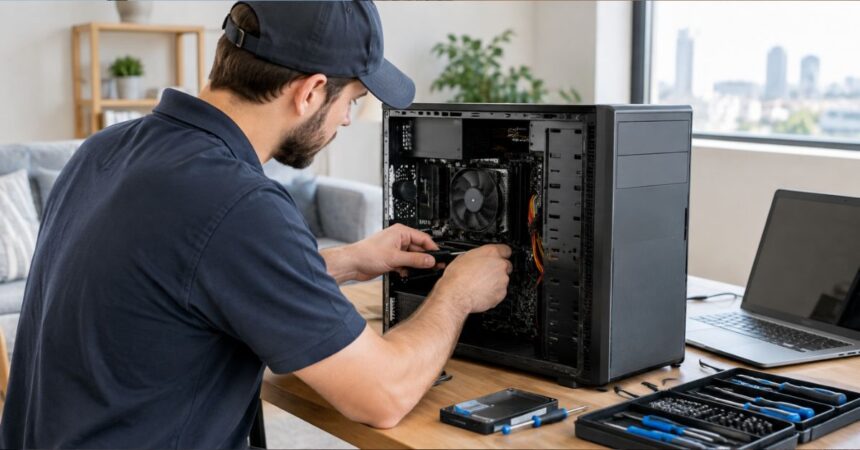
Time matters for businesses too. A dental clinic, a small law office or a retail shop can’t always do without a workstation for days. Tech!Espresso is an on-site service that sends technicians to homes and offices in Calgary and Edmonton, and it offers same-day visits so people aren’t left waiting. Fixing things where the equipment already sits keeps the disruption small. And despite the name, this is a computer repair business, not a coffee shop.
Problems a Technician Can Usually Handle
Not everything gets solved in one visit, but a surprisingly wide range of problems can be diagnosed on the spot, and many fixed there too.
Windows PCs
Windows machines are the most common computers in homes and offices, and they tend to have familiar troubles: slowdowns from crowded startup lists or full storage, failed updates, boot errors, malware and browser pop-ups, overheating and noisy fans, and drives on their way out. Upgrades fall under this heading too, such as adding memory or swapping an old mechanical drive for an SSD. For simple software errors, step-by-step Windows fix guides on Resovent can help you try a safe fix yourself first. If the problem persists, a technician can usually tell within a few minutes whether the cause is software, which is often quick to fix, or hardware, which may mean ordering a part.
Macs
Macs are known for being dependable, but they have their off days. Common requests include slow startup, a full drive, macOS update problems, iCloud syncing trouble, and difficulty connecting to printers or external displays. Some faults, like certain logic board or display failures, call for specialist equipment. A good technician will tell you that plainly rather than promise a quick fix.
Printers
Few devices cause as much irritation per square inch. A printer that shows as offline, a driver that broke after an update, a wireless setup that won’t finish, scans that never reach the computer: these usually come down to how the printer talks to the network, so it helps when the technician can look at the printer and the router together.
Wi-Fi and home or office networks
A typical household now has laptops, phones, tablets, streaming boxes, consoles, cameras and assorted smart gadgets all sharing one connection. That’s a lot to ask of one router. Weak signals in certain rooms, frequent dropouts, slow speeds on a fast plan and badly placed equipment are the usual complaints. A technician can test coverage, move or replace hardware, add a mesh system or extra access points, and check that the network is set up securely.
Smart-home devices
Thermostats, doorbells, cameras, speakers and smart lighting depend on a steady network and correct setup. When one stops responding, the cause is often mundane: a changed Wi-Fi password, a new router, an app that needs reconfiguring. Help here can mean setting devices up from scratch, reconnecting them after a network change, and making sure they work together.
What “Fixed-or-Free” Means
Tech!Espresso describes its approach as Fixed-or-Free. The idea is simple: if the technician can’t fix the problem, you don’t pay for the attempt.
That matters more than it might sound. Many people avoid calling a technician because they worry about paying for a visit that ends with no solution. A guarantee like this takes that risk off the customer. It also gives the provider a good reason to diagnose carefully and be upfront about what’s realistic.
Policies like this always have details, so it’s worth asking before you book:
- What counts as “fixed”? Only the original problem, or related issues too?
- If a part has to be ordered, how are parts charged?
- Does the policy apply to every service, including network and smart-home work?
- What happens if the problem comes back after the visit?
A reputable company will answer these directly. If the answers get vague, take note.
See More: What Is Mobile App Development? Complete Guide
Getting Ready for the Visit
A bit of preparation makes any appointment go faster.
Describe the symptoms. Jot down what’s happening, when it began and anything that changed beforehand, such as an update, a power outage or a new device. “The laptop freezes for about thirty seconds whenever I open the browser” gives a technician far more to work with than “it’s slow.”
Back up what matters. Repairs are generally safe, but any work on a computer carries some risk to your files. If the machine still runs, copy important documents and photos to an external drive or cloud service first. If it won’t start at all, mention that so the technician can plan for data recovery.
Have your logins handy. Technicians often need to sign in to the computer, the router or a printer’s admin page. If you share temporary passwords, change them afterward.
Clear the way. Make sure the technician can reach the computer, router or printer, and keep cables, power adapters and any error messages nearby. For network problems, know where the modem and router are.
Plan for access. At home, it’s usually best to have an adult present. At a business, let staff know in advance which systems will be affected so nobody loses unsaved work.
How to Choose a Repair Service
Whichever company you’re considering, a few checks will help.
Start with transparency. A good provider explains what it offers, where it works and how pricing is set, and is clear about what’s not included. Next, consider scope. A service that handles PCs, Macs, printers, networks and smart-home devices is handy if your home or office has all of them, since one technician can look at the whole picture.
Local presence counts as well. A company that actually serves your city is more likely to manage short-notice or same-day visits. Read reviews on more than one site, and pay attention to how the company deals with complaints. If a guarantee is advertised, get the terms in writing or in the booking confirmation.
Finally, expect honesty about limits. Sometimes a repair isn’t worth it. A five-year-old laptop with a failed motherboard may cost more to fix than to replace, and a trustworthy technician will say so.
Homes and Businesses Have Different Priorities
The work itself is similar, but the emphasis changes.
At home, people mostly want convenience and plain language. They often have a handful of annoyances to sort out in one go, such as a sluggish laptop, a stubborn printer and a dead spot in the Wi-Fi. Some also want help with the basics of security, like updated software and better passwords.
For businesses, uptime and data protection come first. A small office needs printers that work, shared files that stay reachable and a network that holds up through the working day. A technician who can come the same day and work around the office schedule keeps people productive. It’s also worth asking about backups and security, since small businesses are frequent targets for phishing and ransomware.
Habits That Save You a Repair Call
The best repair is the one you never need. A few habits go a long way:
- Install operating system and security updates when they appear.
- Keep your backups current. A common rule is three copies of your data, on two kinds of storage, with one kept off-site or in the cloud.
- Restart your router, printer and computer now and then.
- Use strong, unique passwords, ideally with a password manager.
- Think twice before clicking links or opening attachments in email. Most malware arrives through a click that shouldn’t have happened.
- Give electronics some room to breathe. Dust and heat shorten their lives.
- Replace routers and computers that no longer receive updates, since they become security risks.
When It’s Time to Call Someone
A restart or a quick search solves plenty of small problems. But some situations deserve a professional: a computer that won’t turn on or keeps crashing, signs of malware or a hacked account, missing files or a drive making strange noises, a network that keeps failing even after a router restart, or a printer or smart device you can’t set up after several tries. The same goes for any hardware repair you’re not comfortable attempting yourself. In these cases, waiting tends to make things worse, especially when your data is at risk.
The Bottom Line
On-site repair has become a practical choice for people in Calgary, Edmonton and elsewhere in Canada who would rather not lug equipment around or lose days without a working device. The best services pair technical skill with honesty. They find the real problem, explain your options in plain terms and stand behind their work with a clear policy like Fixed-or-Free.
Before you book, write down the symptoms, back up your files and ask a few direct questions about scope, pricing and guarantees. With a little preparation and a provider who’s upfront about what it can and can’t do, most tech problems turn out to be much less stressful than they first seem.
